Dacia Spring
Trip computer A
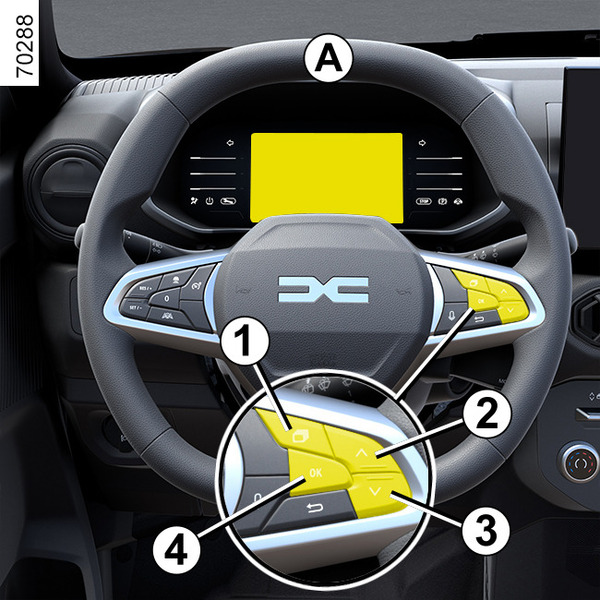
Depending on the vehicle, this includes the following functions:
- mileage;
- trip settings;
- information messages;
- operating fault messages (related to the
 warning light);
 - warning messages (related to the
 warning light).
Press switch 1 and select the functions by pressing switch 2 and 3 by pressing the button 4 to selct the function (the display depends on the vehicle equipment and country):
From the instrument panel A:
a) trip settings:
- average energy consumption since the last reset and current energy consumption;
- distance travelled since last reset.
b) reset the pressure of the tyres;
c) service interval;
d) trip log, operating faults and information messages.
Resetting the trip mileage
With the trip parameters selected as the display, press and hold the 4 switch « OK » until the display resets to zero.
Interpreting some of the values displayed after resetting
The values showing average fuel consumption, range and average speed will become more stable and reliable the further you travel after pressing the reset button.
For the first few miles after pressing the reset key you will notice that the range increases as you travel.
This range takes into account the average fuel consumption since the last time the reset button was pressed.
However, average consumption can decrease when:
- the vehicle stops accelerating;
- when driving from an urban area onto the open road.