New Dacia Spring
Introduction
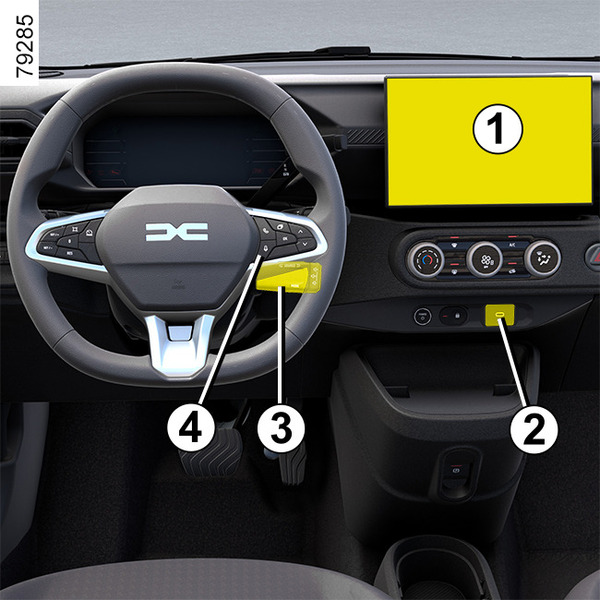
The presence and location of this equipment depends on the vehicle version.
- 1.
Multimedia screen.
- 2.
USB-C multimedia ports on the centre console.
- 3.
Steering column control.
- 4.
Voice command.
tip
Please refer to the multimedia instructions for further information.
"USB-C" multimedia ports
The USB-C multimedia sockets 2 can be used to charge accessories with a maximum power of 15 Watts (5 Volts) per socket.
Note: the USB-C multimedia ports 2 can also be used to transfer data.
tip
If you connect a cable from an accessory to a USB port (e.g. a smartphone charging cable), be sure to disconnect it when no longer needed.
Risk of short circuit and damage to the USB port in the event of contact between the end of the cable and a metallic object (e.g. cigarette lighter, etc.).
Microphone 5
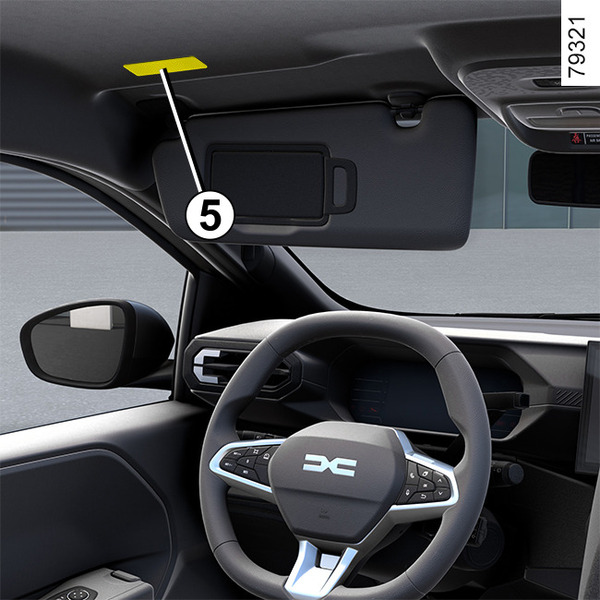
(For the telephone and voice assistant)
warning
Using the telephone
We remind you of the need to conform to the legislation in force concerning the use of such equipment.
Phone holder
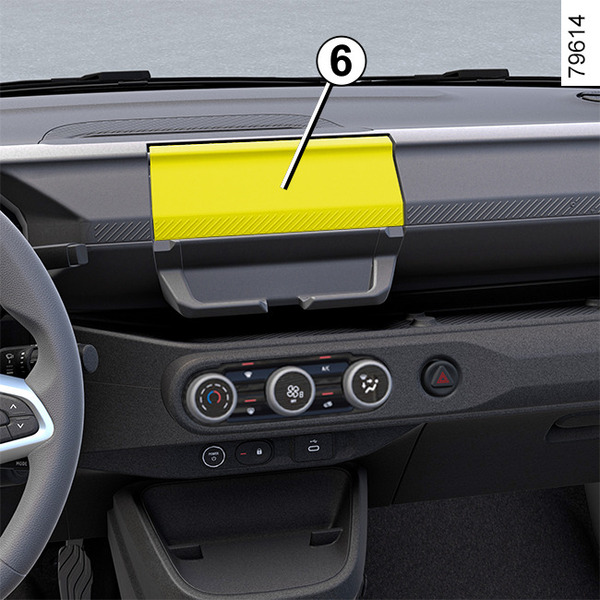
On vehicles that are equipped, lift the flap 6, place your phone 8 vertically onto the stand 7 then lower the flap 6 while keeping the phone in position on the stand 7.
warning
For safety reasons, carry out any adjustments while the vehicle is stationary.
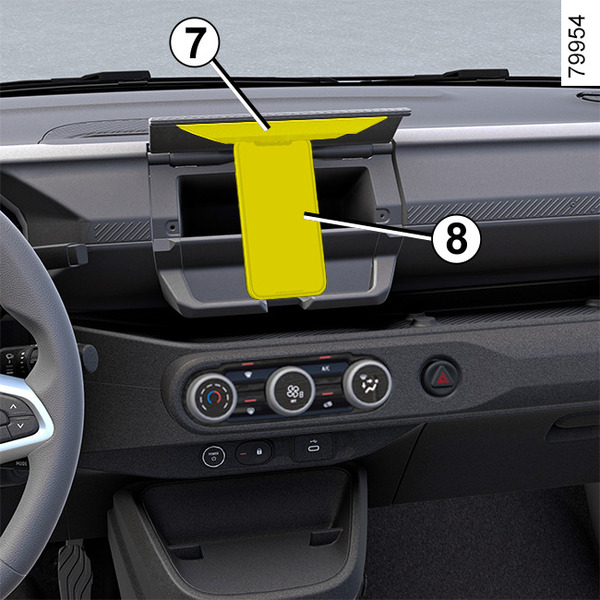
Make sure that the phone is securely held in place between the stands 7 before use.
warning
Make sure that the telephone is securely held in place in the telephone holder to ensure that it is not thrown onto the occupants during sudden turning or braking.
warning
Using the telephone
We remind you of the need to conform to the legislation in force concerning the use of such equipment.