Dacia Logan
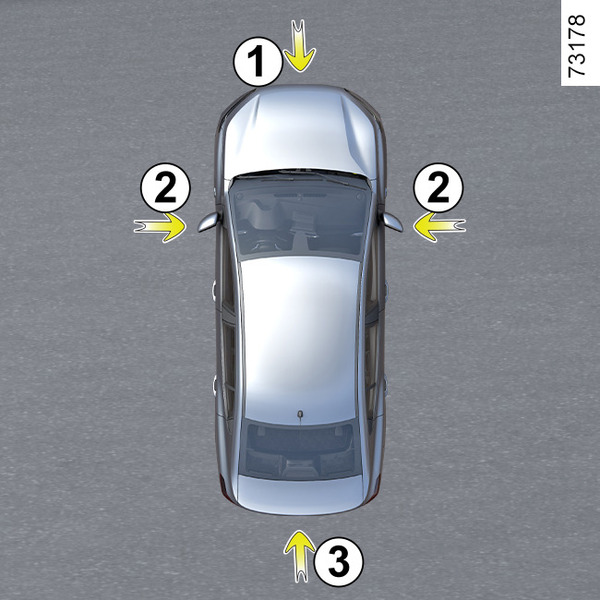
If fitted on the vehicle, the four cameras 1, 2 and 3 located in the front bumper, door mirrors and tailgate help you with difficult manoeuvres.
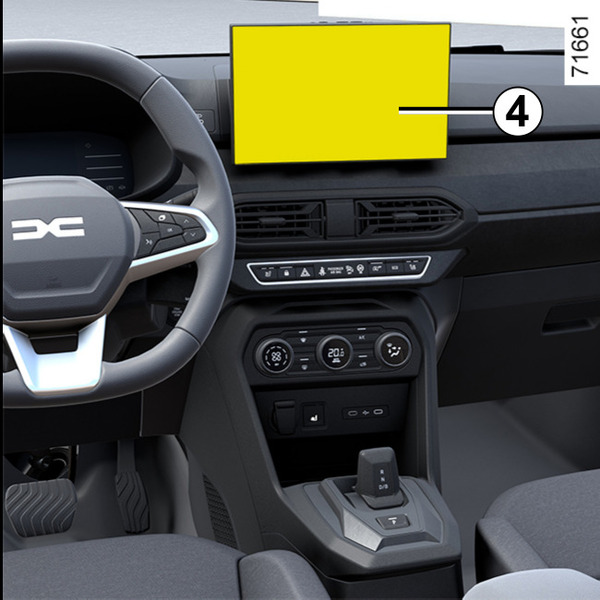
The cameras transmit four separate views to the screen 4, making it possible to view the area around the vehicle.
Note: make sure that the cameras are not obscured (by dirt, mud, snow, condensation, etc.).
warning
This function is an additional aid. It cannot, therefore, under any circumstances replace the vigilance or the responsibility of the driver.
The driver should always be ready for sudden incidents while driving: always ensure that there are no small, narrow moving obstacles (such as a child, animal, pushchair, bicycle, stone, post, etc.) in the blind spot when manoeuvring.
Activating the system
With the ignition on, the system may be activated:
- in automatic mode, when changing into reverse gear: the system is activated and the camera located on the tailgate transmits a view of the area behind the vehicle onto the screen 4;
- in manual mode, with the vehicle stationary and the engine on, from the "Vehicle" world on your multimedia screen 4, press the "360° Camera" menu and the front view will appear on the multimedia screen.
Note: depending on the vehicle, certain settings can be adjusted from the screen 4. Refer to the multimedia instructions.
Automatic mode
Automatic mode is activated when reverse gear is engaged and the screen 4 shows the rear camera view. When there is a quick change from reverse gear to forward gear, the screen 4 shows the image transmitted from the front camera.
Automatic mode is deactivated:
- by selecting another camera view from the menu on the screen 4;
- automatically as soon as you reach about 7 mph (12 km/h);
- shortly after disengaging reverse gear.
Manual mode
To activate it, select the desired camera view from the menu on the screen 4.
A message appears on the screen 4 for approximately five seconds to confirm the activation of manual mode.
Manual mode is deactivated:
- automatically as soon as you reach approximately 6 mph (10 km/h);
- around 3 minutes after disengaging reverse gear, in manual mode;
- by pressing the "Back" button after disengaging reverse, in manual mode.
Reversing camera 3
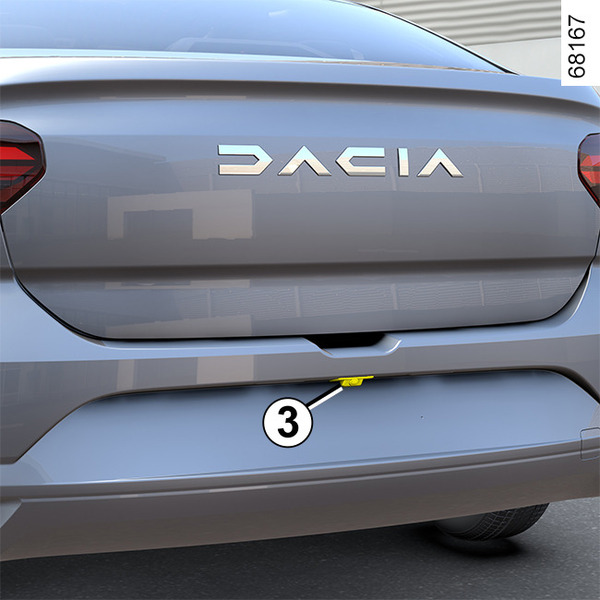
If the rear camera is activated automatically or manually, the view from the camera is displayed on the screen 4.
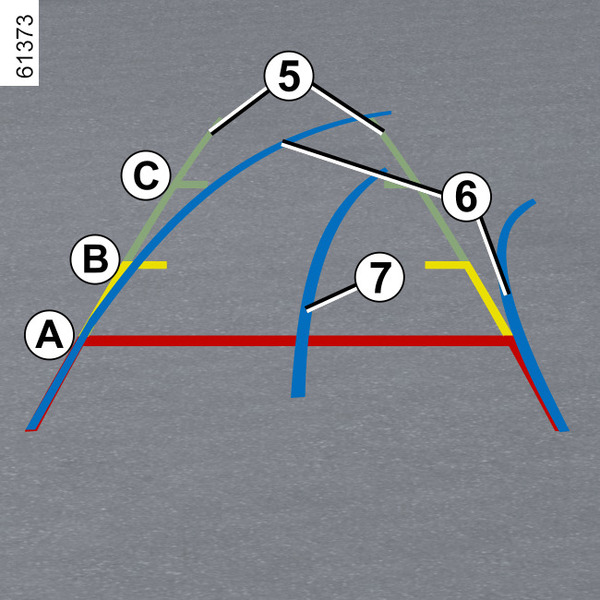
Fixed guide lines 5
The fixed gauge includes coloured markers A, B and C indicating the distance behind the vehicle:
- A (red) at approximately 30 centimetres from the vehicle;
- B (yellow) at approximately 70 centimetres from the vehicle;
- C (green) at approximately 150 centimetres from the vehicle.
tip
The image displayed on the multimedia screen may seem faster than reality.
Moving guide line 6
(depending on the vehicle)
This is shown in blue on the multimedia screen 4. It indicates the vehicle trajectory according to the position of the steering wheel.
Trailer guide lines 7
This is shown in blue on the multimedia screen 4. This indicates the trajectory of the trailer towbar according to the steering wheel position. It allows the driver to position the towbar as close as possible to the trailer's towing head.
« Trailer view »
If a trailer is connected, while in a forward gear press the "Camera" menu in the "Vehicle" world on your multimedia screen 4 to enable the camera 3 to transmit a view of the rear environment during approximately 30 seconds.
"Zoom auto" function
If an obstacle is detected behind the vehicle, the function "Zoom auto" switches the current display to a top rear view.
To activate/deactivate the "Zoom auto" function, please see the multimedia user manual.
tip
The screen shows a reverse mirror image.
The frames are a representation projected on a flat surface. This information is to not be taken into account when superimposed on a vertical object or an object on the ground.
Objects which appear on the edge of the screen may be deformed.
In very bright light (snow, vehicle in sunshine, etc.), the camera vision may be adversely affected.
If the luggage compartment is open or incorrectly closed, the "Tailgate open" message appears.
Front camera 1
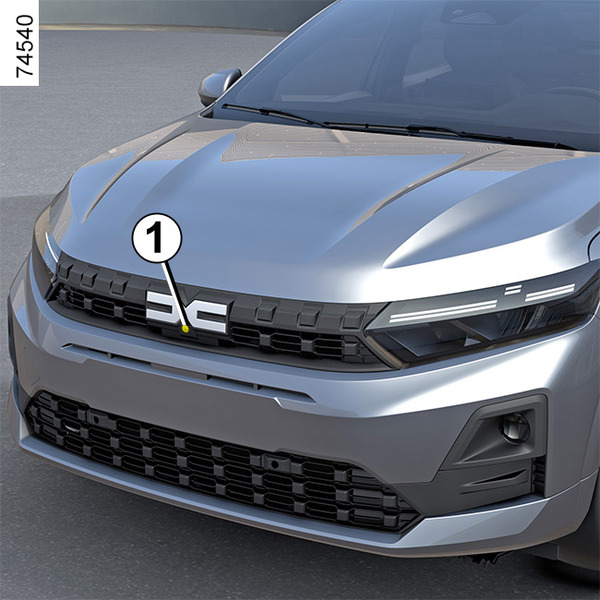
If the front camera is activated automatically or manually, the view from the camera is displayed on the screen 4.
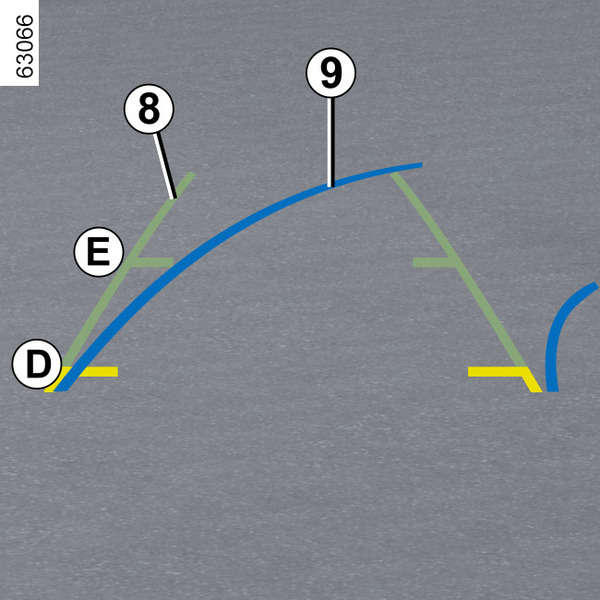
Fixed guide lines 8
The fixed guide line comprises coloured markers D and E indicating the distance in front of the vehicle:
- D (yellow) at approximately 70 centimetres from the vehicle;
- E (green) at approximately 150 centimetres from the vehicle.
tip
The image displayed on the multimedia screen may seem faster than reality.
Moving guide line 9
(depending on the vehicle)
This is shown in blue on the multimedia screen 4. It indicates the vehicle trajectory according to the position of the steering wheel.
"Zoom auto" function
If an obstacle is detected in front of the vehicle, the function "Zoom auto" switches the current display to a top front view.
To activate/deactivate the "Zoom auto" function, refer to the multimedia instructions.
tip
The screen shows a reverse mirror image.
The frames are a representation projected on a flat surface. This information is to not be taken into account when superimposed on a vertical object or an object on the ground.
Objects which appear on the edge of the screen may be deformed.
In very bright light (snow, vehicle in sunshine, etc.), the camera vision may be adversely affected.
If the luggage compartment is open or incorrectly closed, the "Tailgate open" message appears.
Side cameras 2
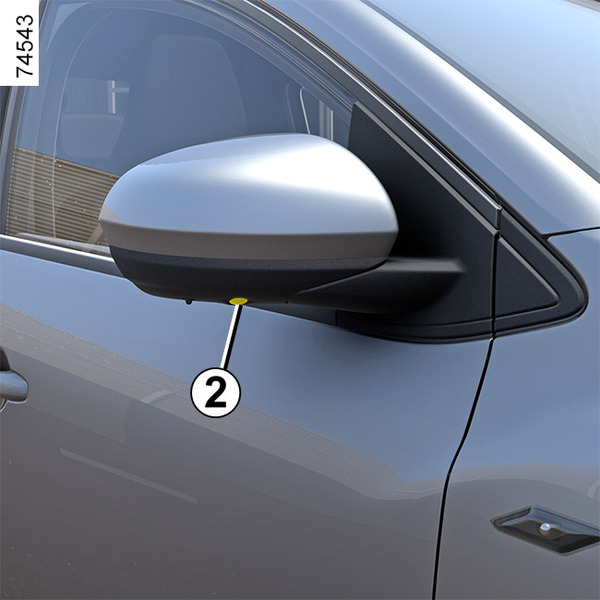
The cameras 2 installed in the door mirrors transmit the side views to the screen 4.
To activate the desired camera view, select it on the screen 4. See the multimedia equipment instructions for further information.
Difference between the estimated distance and actual distance
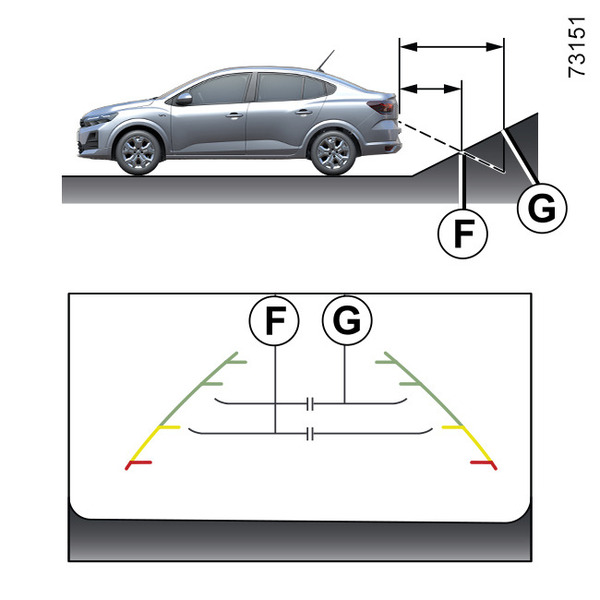
Driving or reversing towards a steep uphill slope
The fixed guidelines 5 show the distances as closer than they actually are.
The objects shown on the screen are actually further away on the slope.
For example, if the screen displays an object at F, the actual distance of the object is at G.
Driving or reversing towards a steep downhill slope
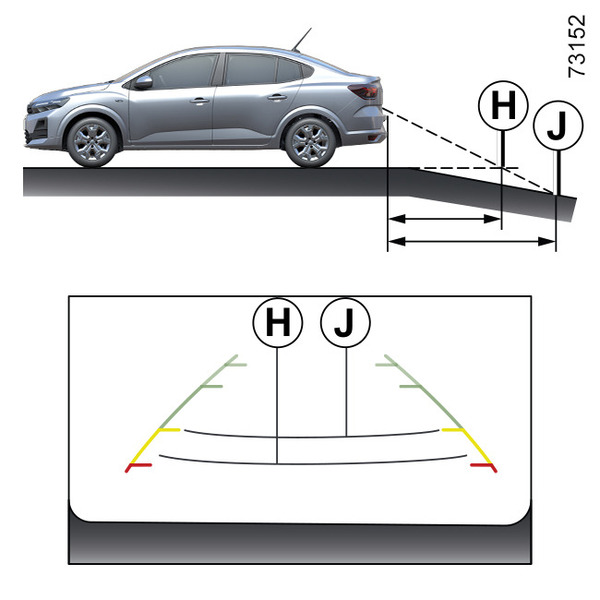
The fixed guidelines 5 show the distances as further than they actually are.
Therefore, the objects shown on the screen are actually closer on the slope.
For example, if the screen displays an object at J, the actual distance of the object is at H.
Driving or reversing towards a protruding object
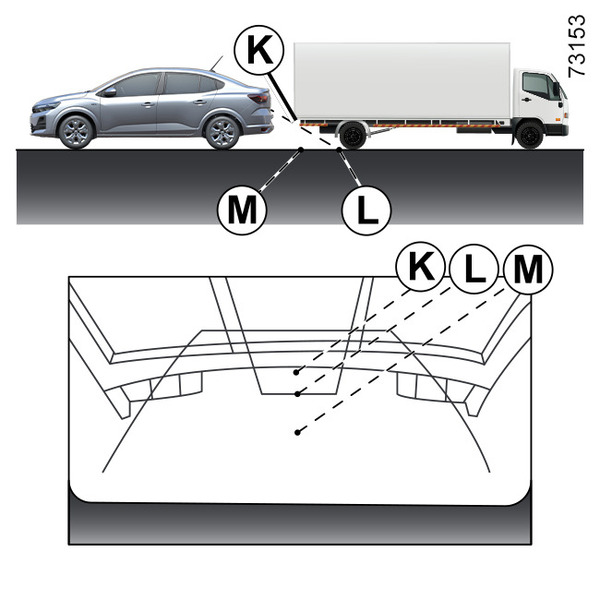
Position K seems further than position L on the screen. However, position K is at the same distance as position M.
The trajectory indicated by the fixed and mobile guidelines do not take into account the height of the object. So there is a risk that the vehicle may collide with the object when reversing towards position M.