Media Control
Calling a contact from the telephone directory
When pairing a phone, its phonebook is automatically uploaded into the audio system (depending on the phone).
You can also authorise automatic sharing of the phonebook and call logs so that the multimedia system transfers them automatically during your next pairings.
If access has not been authorised, a message is displayed on the audio system screen asking you to authorise access to the phonebook.
If the multimedia system cannot find your telephone, please consult your telephone user manual.
Note: you can call a number or contact by pressing briefly on
 Using voice recognition.
To search for a contact:
- press
 to access the main menu, then select the "Phone" world by pressing
 or
or
 , then
 to confirm;
 - select "Contacts" using
or
, then
to confirm.
From the "Contacts" menu, you can search for a contact by name. To do this:
- press and hold on
or
to activate the search;
- press
 on the steering column,
or
to scroll through the letters of the alphabet;
on the steering column,
or
to scroll through the letters of the alphabet; - when you have selected the desired letter, press
to confirm;
- select the desired contact by pressing
or
, then press
to display the contact's stored number(s);
- select the desired number by pressing
or
, then press
to confirm and start the call.
Note: to return to the previous screen, press
 .
.
warning
It is recommended that you stop driving the vehicle before searching for a contact.
Call a contact from your call log history

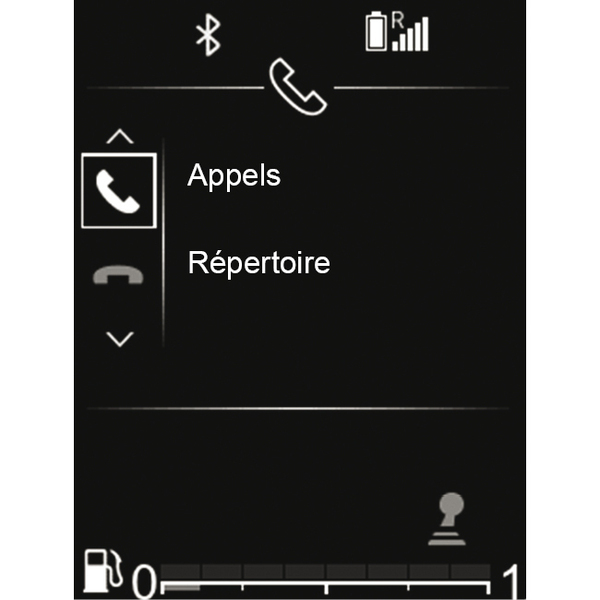
To display the call history:
- access the "Phone" world by pressing
, then use or to select "Phone", then
to confirm;
- select "Calls" using or , then
to confirm;
- select the contact or the number to call by pressing or , then press to start the call.
Receiving a call
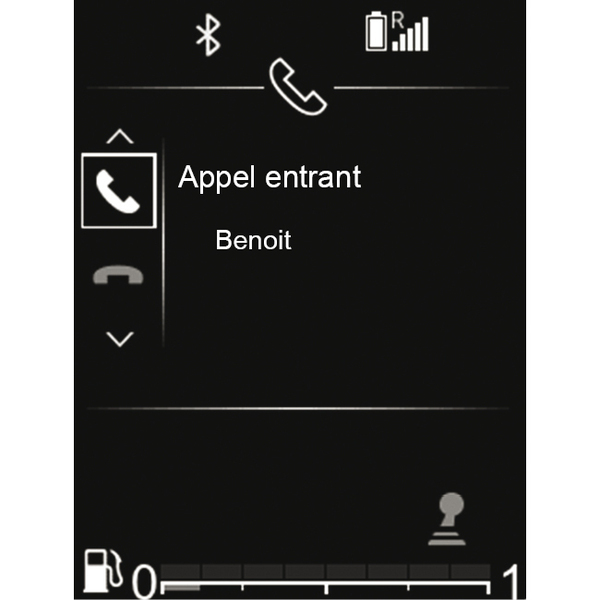
When receiving a call, the caller's number is displayed on the audio system screen (this function depends on the options you have subscribed to with your telephone service provider).
If the caller's number is in one of the memories, the name of the caller is displayed instead of the number.
If the caller's number cannot be displayed, the '"Private number" message is displayed on the audio system screen.
To accept an incoming call:
- select the icon
 using or , then to confirm;
or
- press briefly on
 .
.
To reject an incoming call:
- select the icon
 using or , then to confirm;
or
- press and hold on
.
warning
It is recommended that you stop your vehicle before entering a number or searching for a contact.
Receiving a second call
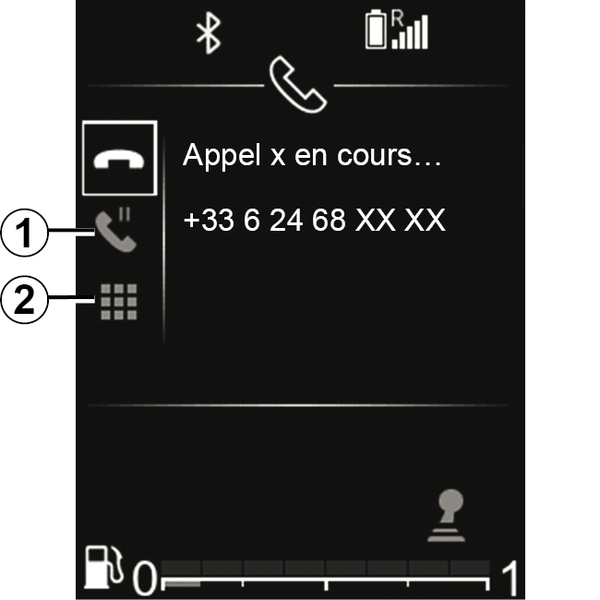
When receiving a second call, the second caller's number is displayed on the audio system screen (this function depends on the options you have subscribed to with your telephone service provider). You can:
- accept the incoming call by selecting
;
- reject the incoming call by selecting
;
- put an incoming call on hold by selecting 1.
To end a call during the conversation, press
.
During a call
You can:
- adjust the volume by pressing
 or
or
 ;
; - end the call by pressing
.
Press or , then to confirm.
You can also:
- accept the incoming call/resume a call placed on hold by selecting
;
- end a call by selecting
during the conversation;
- put a call on hold by selecting 1;
- select 2 to use the audio system keypad to enter the digits.
tip
The system allows managing call waiting when your phone is connected (depending on your plan).
Using the keypad during a call
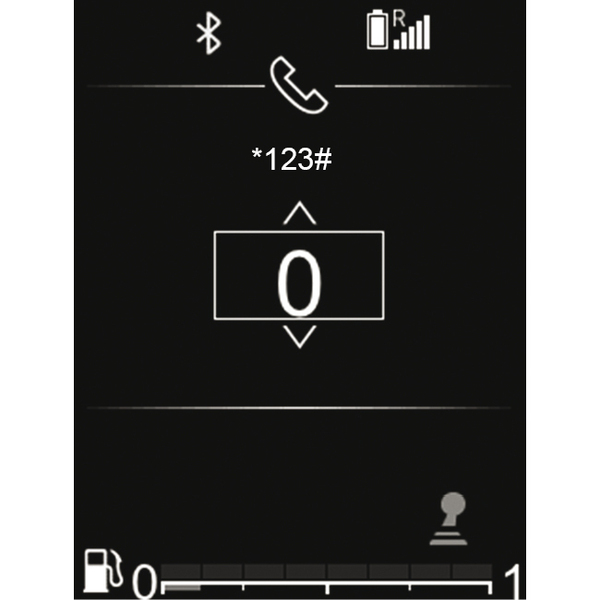
To use the audio system keypad during a call:
- select the audio system keypad using or , then to confirm;
- select the number or character using or , then to confirm your choice.
Note: to return to the previous screen, press
.