Dacia Jogger
The "My Safety" function can be used to deactivate or activate a set of driving assistance functions simultaneously.
Depending on the vehicle, you can configure the "My Safety" function from the multimedia screen or from the instrument panel by selecting the driving aid functions to be switched off as a group.
Operation
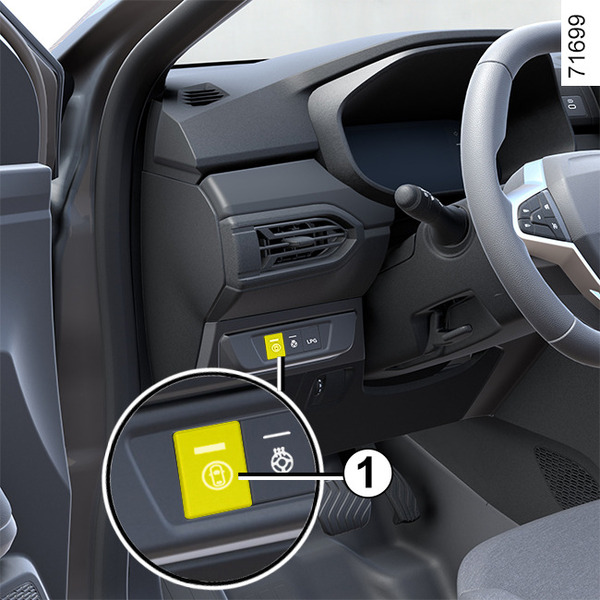
"ALL ON " mode
Depending on the vehicle, this mode includes the following driving assistance functions:
- overspeed sound alert ;
- lane departure prevention Lane departure prevention;
- driver vigilance warning Driver vigilance warning;
- driver fatigue warning Driver fatigue warning;
- driver distraction warning Driver attention warning;
- blind spot warning Blind spot warning;
When "ALL ON" mode is activated: the indicator light on button 1 lights up and the "My Safety All ON selected" message appears on the instrument panel to confirm this. The driving aids that are available in the mode are activated.
"Perso " mode
This mode allows you to deactivate or reactivate certain driving aid functions available in the "ALL ON" mode.
With the ignition on, press button 1 twice in succession to activate "Perso" mode.
The first time you press it, the "Press again for My Safety Perso" message appears on the instrument panel. On the second press, the indicator light on the button 1 goes out. "Perso" mode is activated. The "My Safety Perso selected" message is displayed on the instrument panel.
To switch back to "ALL ON" mode, press once on button 1. The indicator light on button 1 lights up.
tip
Depending on the vehicle, according to the length of time following the last time the engine was stopped, the function is reactivated:
- when the vehicle is unlocked;
or
- when a door is opened;
or
- when the engine is restarted.
Configuration of " My Safety Perso "
warning
For safety reasons, carry out any adjustments while the vehicle is stationary.
tip
The "My Safety Perso" settings saved for "Perso" mode are stored each time the engine is or when the doors are locked.
Vehicle fitted with a multimedia screen
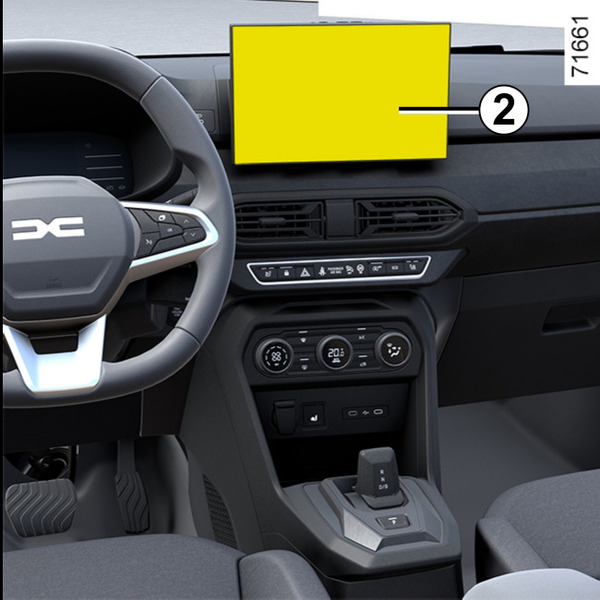
Refer to the multimedia instructions for information on accessing the settings.
Vehicle not fitted with a multimedia screen
(depending on the vehicle)
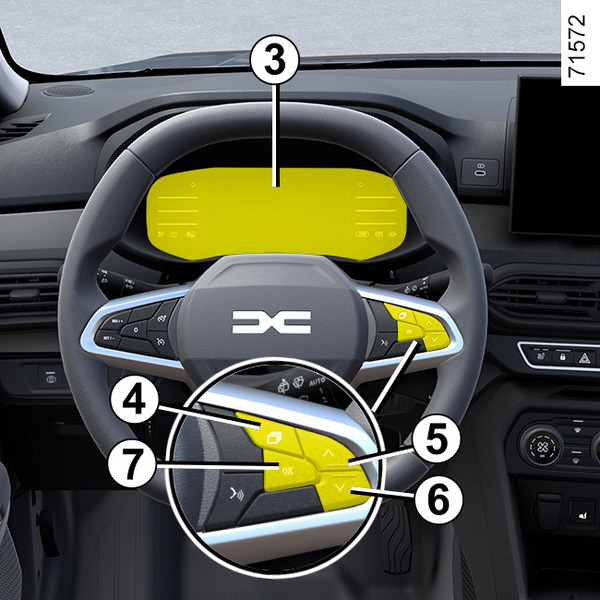
Configuration from the trip computer 3
- With the vehicle stationary, press the switch 4 as many times as required to reach the
 tab;
tab;
or
- press control 4 and repeatedly press control 5 or 6 to reach the
 tab;
tab; - press the 7 "OK" switch
- repeatedly press control 5 or 6 to reach the
 menu, then press the 7 "OK" switch;
 - repeatedly press control 5 or 6 to reach the "MY SAFETY PERSO" menu, then press switch 7 "OK";
- select the driving aids to be deactivated or activated from "Perso" mode by repeatedly pressing control 5 or 6, then press the 7 "OK" switch to deactivate or activate the driving aids.