Dacia Striker
Operation
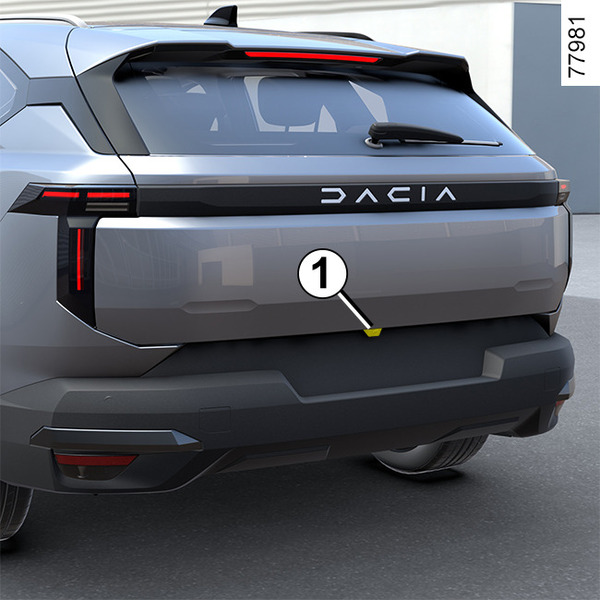
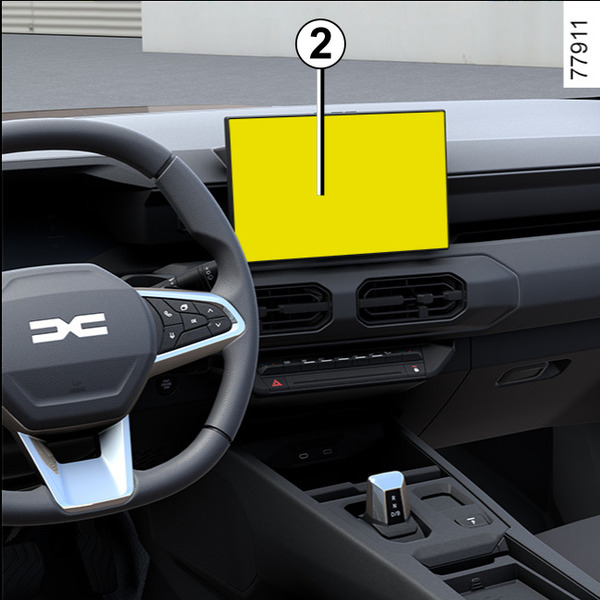
When reversing, the camera 1 located at the rear of the vehicle transmits a view of the area behind the vehicle to the multimedia screen 2.
This system is used with the help of guide lines.
The fixed guide line A indicates a distance of approximately 30 cm behind the vehicle.
When the red zone is reached, use the bumper image to stop accurately.
The vehicle's moving guide lines B indicate the vehicle's trajectory according to the steering wheel position. Small markers are positioned to indicate approximate distances of 70 cm and 150 cm.
The moving guide lines for the wheels C indicate the trajectory of the wheels based on the position of the steering wheel.
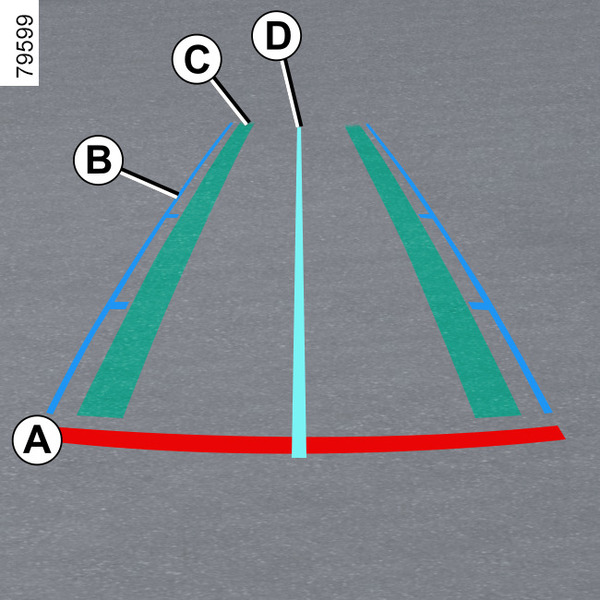
The trailer guide lines D indicate the trajectory of the trailer towbar based on the steering wheel position. It allows the driver to position the towbar as close as possible to the trailer's towing head.
« Trailer view »
When driving forward with a trailer connected, press the "Camera" menu in the "Vehicle" world on your multimedia screen 2 to enable the camera 1 to transmit a view of the rear environment during approximately 30 seconds.
Settings
From the multimedia screen 2, with reverse gear engaged, press the "Settings" button to add or remove the guide lines.
Please refer to the multimedia instructions for further information.
tip
Make sure that the camera is not obscured (by dirt, mud, snow, condensation etc.).
"Zoom auto" function
If an obstacle is detected behind the vehicle, the "Zoom auto" function switches the current view to a top-down view.
To activate/deactivate the "Zoom auto" function, see the multimedia instructions.
tip
The screen shows an inverted image such as in a rear-view mirror.
The guide lines are a representation projected on a flat surface. This information is to not be taken into account when superimposed on a vertical object or an object on the ground.
Objects which appear on the edge of the screen may be deformed.
In very bright light (snow, vehicle in sunshine, etc.), the camera vision may be adversely affected.
If the luggage compartment is open or incorrectly closed, the "WARNING: Boot Open" message appears.
Operating faults
When the reverse gear is engaged, if the system detects an operating fault, a black screen is displayed temporarily on the multimedia screen 2.
This may be caused by a fault affecting the camera or screen (clearness, fixed image, delayed communication, etc.).
If the temporary display of the black screen persists, please contact an Approved Dealer.
warning
This function is an additional aid. It cannot, therefore, under any circumstances replace the vigilance or the responsibility of the driver.
The driver must always remain alert to sudden events that may occur while driving: always ensure that there are no moving obstacles, or obstacles that are too small or too thin (such as a child, an animal, a pushchair, a bicycle, a stone, a post, etc.) in the blind spot when manoeuvring.
Difference between the predicted distance and the apparent actual distance
In the presence of a steep uphill slope
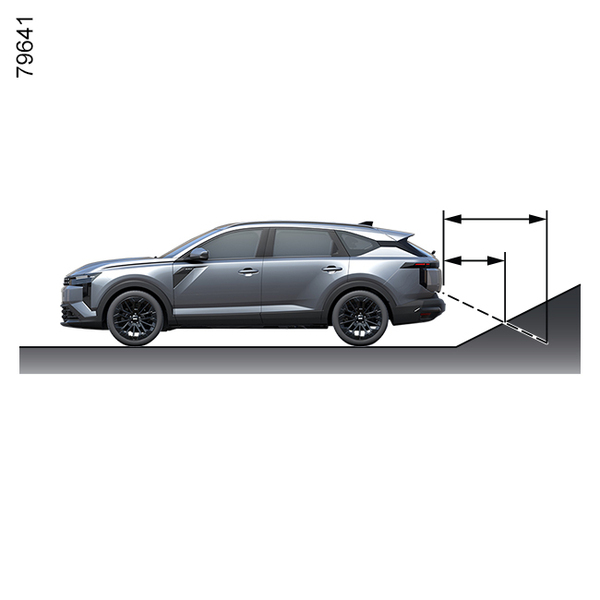
Objects that appear on the screen are actually closer than they appear to be.
In the presence of a steep downhill slope
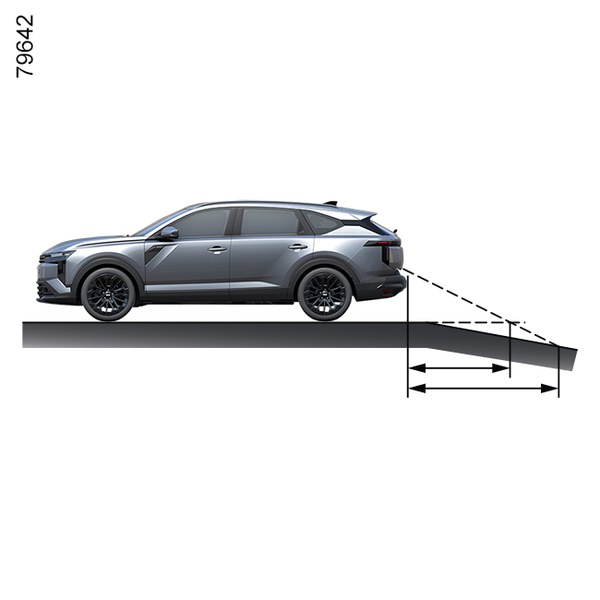
Objects that appear on the screen are actually further away than they appear to be.
When a protruding object is present
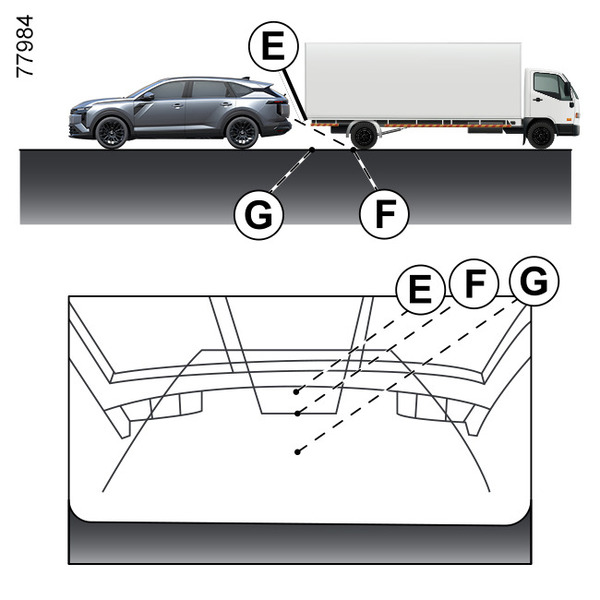
On the screen, object E appears farther away than the point on the ground F. In reality, the object E is at the same distance as the point on the ground G.
The trajectory indicated by the mobile guide lines do not take into account the prominence of tall objects. Also, the vehicle may strike object E when reversing towards position G.