Dacia Spring
Instrument panel A
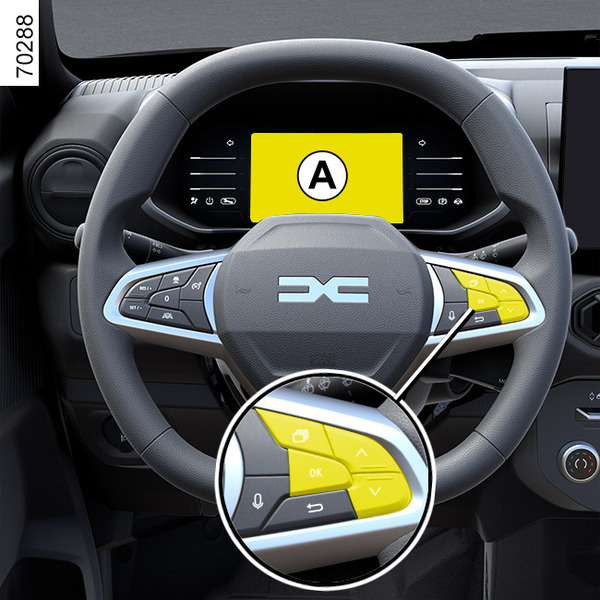
It lights up when the ignition is switched on.
In some cases, the appearance of a warning light is accompanied by a message.
For vehicles fitted with a multimedia screen, refer to the equipment instructions.
For vehicles not fitted with a multimedia screen Vehicles not fitted with a multimedia screen.
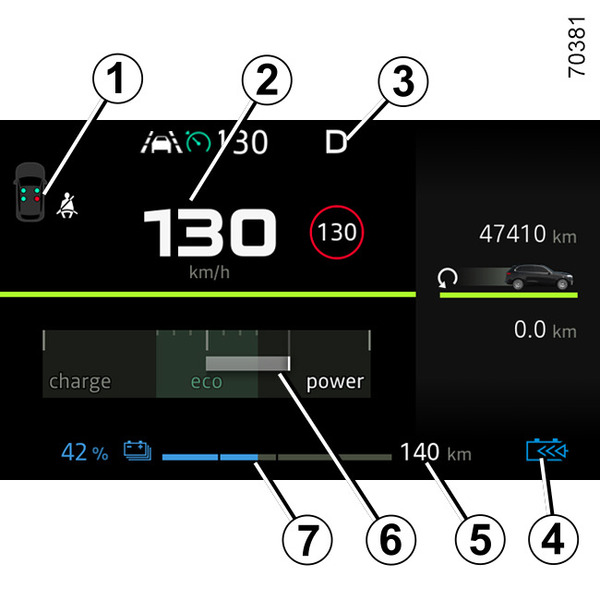
Seat belt reminder warning light 1
Speedometer 2
Driving mode indicator 3
D : Drive mode
N : Neutral mode
R : Reverse mode
B : Braking mode
Regenerative braking level warning light 4
Battery information 5 (estimated range).
Econometer 6
The display indicates the level of energy.
« High voltage » traction battery level remaining 7
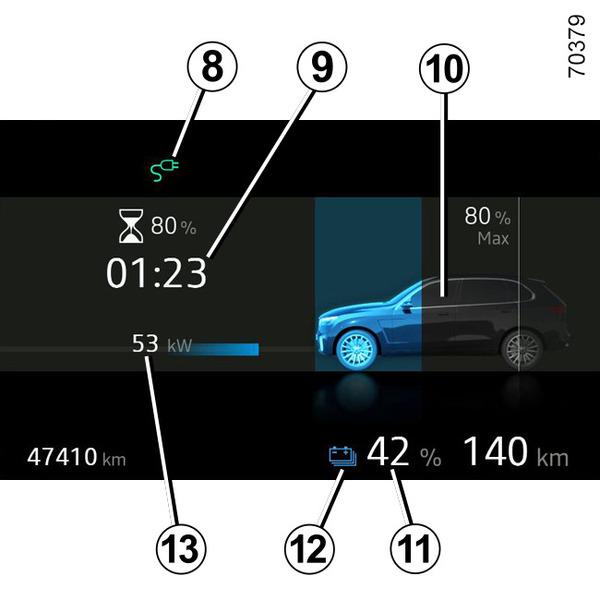
Charging lead plugged in warning light 8
This comes on when the charging cable is plugged into the vehicle.
Remaining charging time 9
Charge level 10
The gauge indicates the level of energy remaining.
Traction battery level 11
Reserve threshold
When the traction battery charge reaches approximately 7% or, depending on the vehicle,
approximately 12%, the gauge and indicator light 12
 appear in yellow, accompanied by a beep.
To optimise your range Vehicle range.
Immobilisation threshold imminent
When the charge level reaches about 4% , a beep will sound again and the gauge will light up in red or, depending on the vehicle, 30 seconds after the gauge lights up in red.
When the charge level reaches 3.5% or, depending on the vehicle, approximately 5%, the range value is no longer displayed. Engine performance gradually decreases until the vehicle comes to a halt Breakdown recovery.
Power entering the vehicle 13

ECO mode 14
Information on driving aids 15
External temperature 16
Indicates the external temperature.
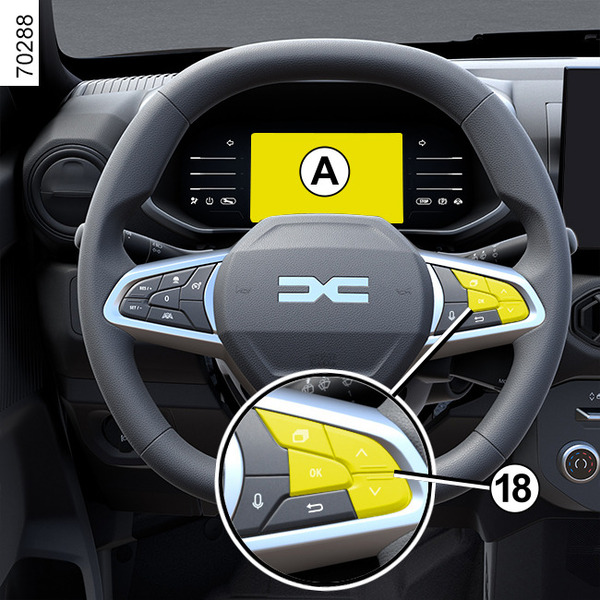
Information area 17, depending on the vehicle, browse using the control 18 to select various widgets on the instrument panel A:
- trip computer information (mileage recorder, consumption, etc.);
- telephone, multimedia (audio source currently playing, etc.) information;
- vehicle information (warning messages, etc.);
- ...
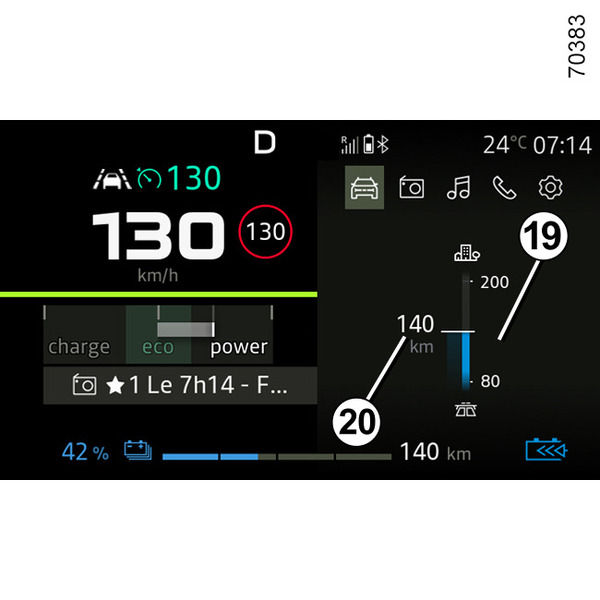
EV Autonomy widget page displays the bar of autonomy minimum and maximum range 19
EV Autonomy widget page displays the current autonomy and unit 20
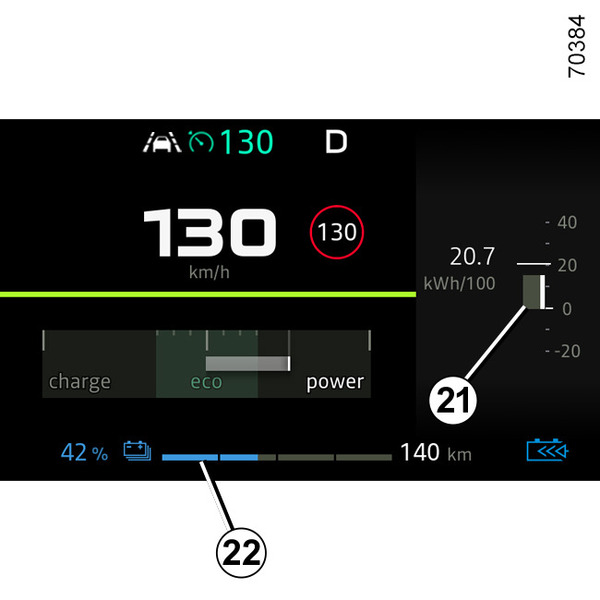
Consumption widget page displays the Instant consumption gauge 21
SOC (State of charge) bar displays the Current level of vehicle battery available charge 22
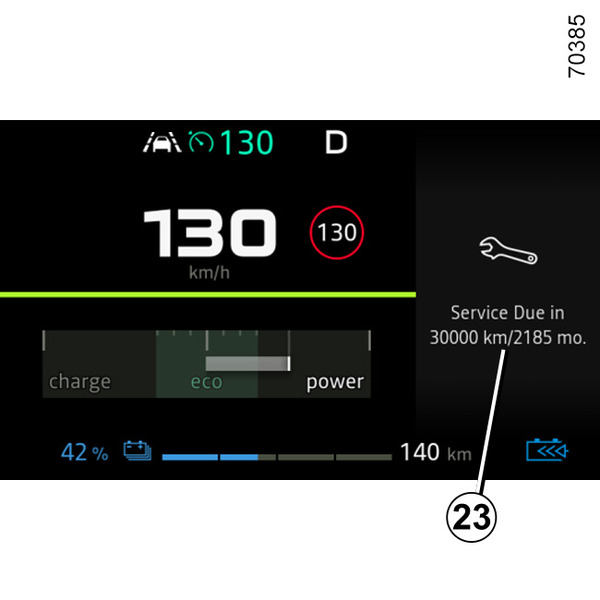
Remaining distance for maintenance and Remaining days for maintenance 23
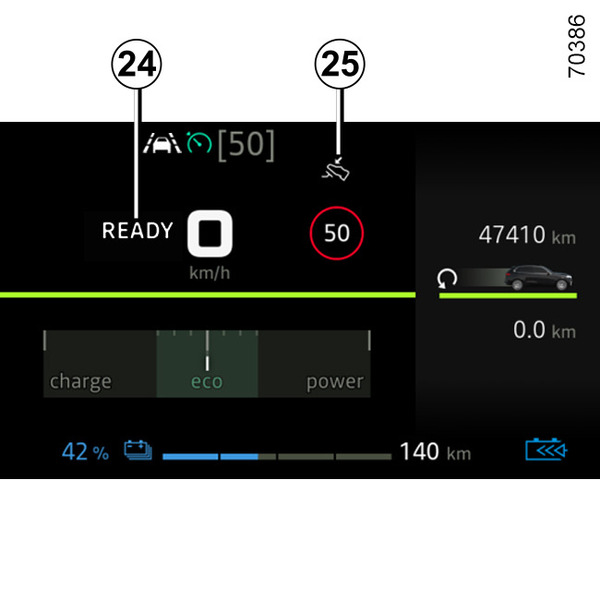
Message indicating that the vehicle is ready for driving 24.
The READY message appears when the engine starts and disappears when the vehicle speed exceeds approximately 3 mph (5 km/h).
Brake press indicator 25
Indicates that brake pedal must be pressed to change the drive mode (R, N, D or B).
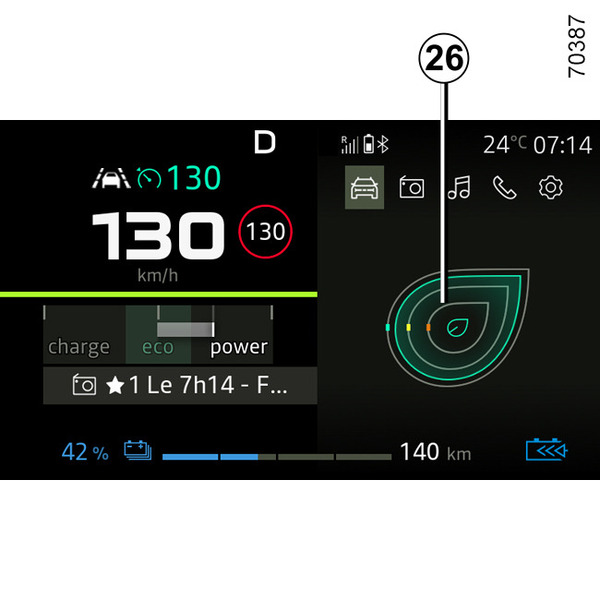
Driving style indicator 26Driving style indicator <cite>1</cite>.
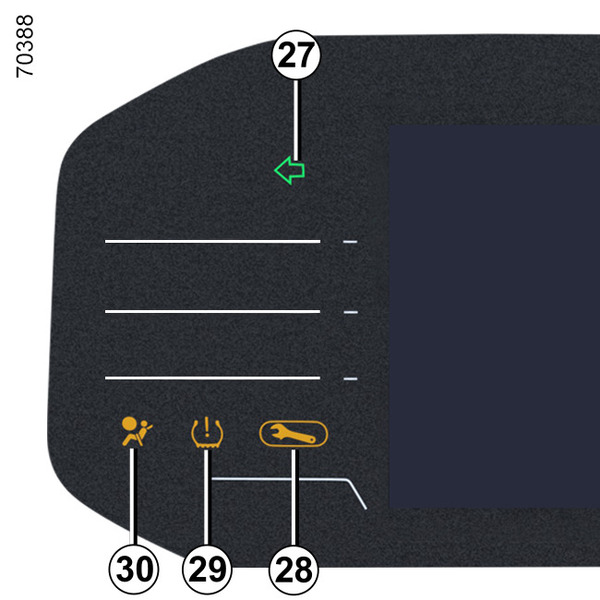
Direction change indicators 27
Warning light 28
Tyre low pressure warning light 29Tyre pressure loss warning
Airbag warning light 30Methods of restraint in addition to the front seat belts
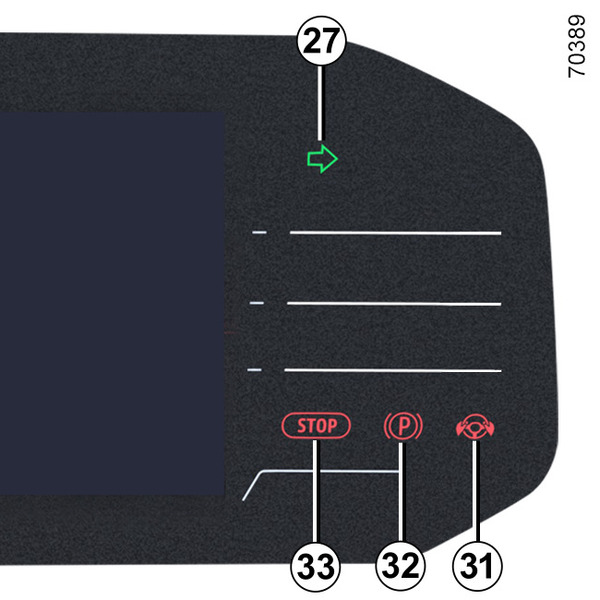
Hands off steering wheel detection warning light 31Lane departure prevention
Parking brake warning light 32Handbrake
Urgent stop warning light 33
Instrument panel in miles
(option to switch to km/h)
Vehicles not fitted with a multimedia screen
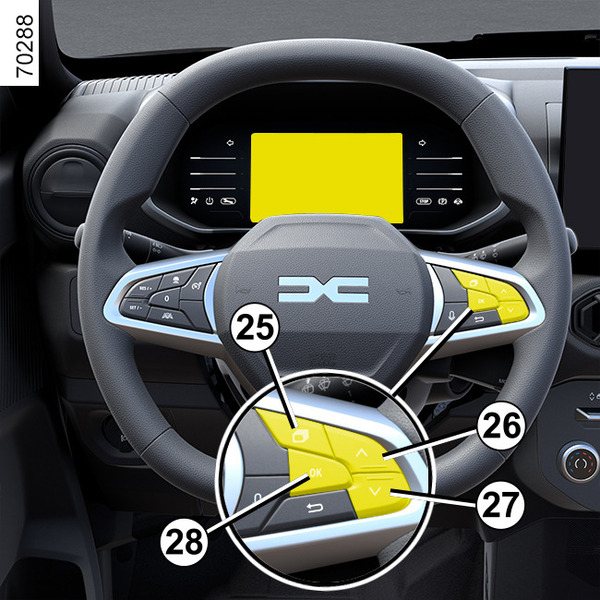
- With the ignition off, press the 27 switch as many times as required to reach the « Settings » world;
- press the 28 or 27 control repeatedly to reach « Vehicle settings » and press the 28 « OK » switch;
- press the 28 or 27 control repeatedly to reach « INSTRUMENT PANEL » and press the 28 « OK » switch;
- press the 28 or 27 control repeatedly to reach the « Unit: km/h » (or « Unit: mph » if required), then press the 28 « OK » switch.
Vehicles fitted with a multimedia screen.
Please refer to the multimedia instructions to select the unit.
Note: in both cases, once the battery is switched off, the on-board computer automatically returns to the original unit of measurement.
To return to the previous mode, repeat the same operation.
Please refer to the multimedia instructions for further information.
tip
To use certain driving aid functions, it is necessary to change the unit of measurement on the instrument panel in order to obtain the appropriate information when driving in a country where the speed units differ from those set as default on your vehicle.
warning
For safety reasons, carry out any adjustments while the vehicle is stationary.