Dacia Spring
The « My Safety » function can be used to deactivate or activate a set of driving assistance functions simultaneously.
Depending on the vehicle, you can configure the « My Safety » function from the multimedia screen or from the instrument panel by selecting the driving aid functions to be switched off as a group.
Operation
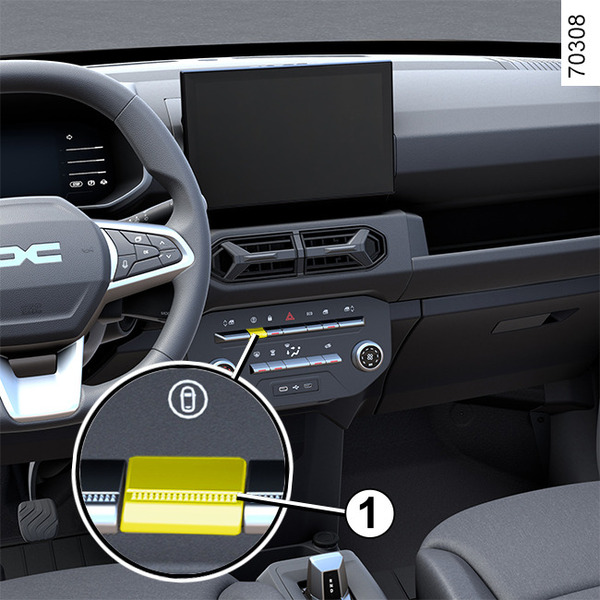
« All on » mode
Depending on the vehicle, this mode includes the following driving assistance functions:
- overspeed sound alert Detection of road signs;
- lane departure prevention Lane departure prevention;
- driver vigilance warning Driver vigilance warning.
When the « All on » mode is activated: the indicator light on the button 1 lights up and the « My Safety ALL ON selected » message is displayed on the instrument panel to confirm this. The driving aids that are available in the mode are activated.
« Perso » mode
You can use this mode to deactivate or reactivate some driving aids that are available in the « All ON » mode previously configured using the « My Safety Perso » setting.
Once the ignition is on, press button 1 twice in succession to activate the « Perso » mode.
On the first press, the « Press again for My Safety Perso » message is displayed on the instrument panel. On the second press, the indicator light on the button 1 goes out. The « Perso » mode is activated. The message « My Safety Perso selected » is displayed on the instrument panel.
To switch back to « All On » mode, press once on the button 1. The indicator light on button 1 lights up.
tip
Depending on the vehicle, depending on the length of time following the last time the engine was stopped, the « All On » mode is reactivated:
- when the vehicle is unlocked;
or
- when a door is opened;
or
- when the engine is restarted.
Configuration of My Safety Perso
warning
For safety reasons, carry out any adjustments while the vehicle is stationary.
tip
The « My Safety Perso » settings saved for the « Perso » mode are stored when the engine was last stopped or when the doors were locked.
Configuration from the multimedia screen 2
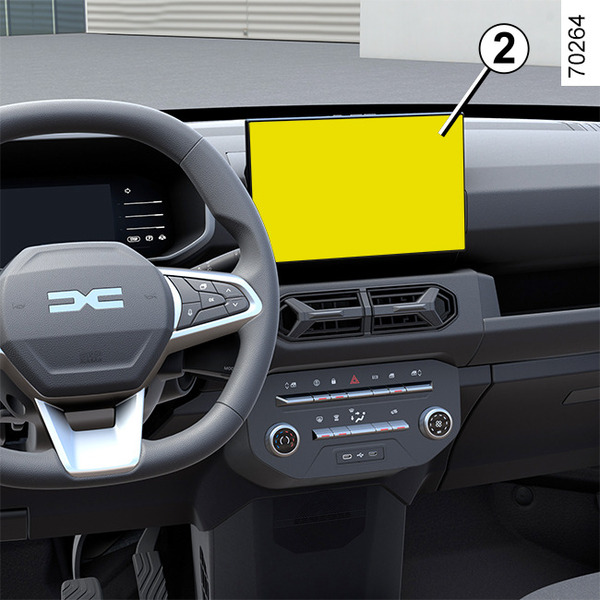
Refer to the multimedia instructions for information on accessing the settings.
Configuration from the trip computer
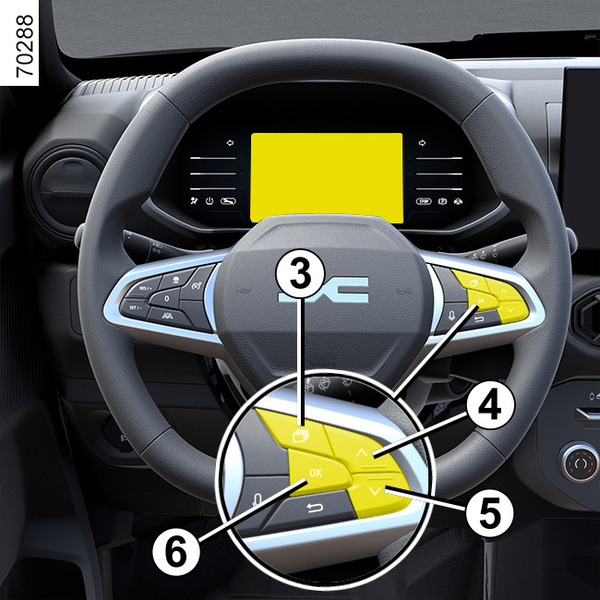
Vehicle stationary:
- press the switch 3 repeatably to access the
 menu;
menu; - repeatedly press control 4 or 5 to access the «
 Vehicle Setting » menu. Press the OK switch 6;
 - press control 4 or 5 repeatedly until you reach the « My Safety Perso » menu. Press the OK switch 6;
- select the driving aids to be added or removed from the « Perso » mode by repeatedly pressing the 4 or 5 control. Press the OK switch 6 to add or remove driving aids.