Dacia Spring
Your audio system is equipped with a USB port as well as a Bluetooth® connection which can be used to connect external audio sources.
Note: the auxiliary audio source formats include MP3, WMA and AAC.
USB connection
Connect
Connect the plug of the MP3 player, portable digital audio player or USB drive to the USB port.
Once the device is connected, the track will be displayed automatically.
Use
Once the external audio source is connected, the first audio track will start to play automatically.
The audio system automatically restarts the last track played if the external audio player was previously connected to the audio system.
Once your external audio source is connected, its contents can be accessed via the multimedia system menus. It stores playlists identical to those of your external audio player.
To access the contents of your external audio source via your audio system:
- press
 to return to the playlist;
or
- rotate the
 on the steering column control or press
 or
or
 to scroll through the tracks.
Then, to modify the current playlist:
- press
to display the folders or selection criteria. Press again on
to return to the previous folder;
or
- press
 to select the folder, playlist or to listen to the selected track.
Charging using the USB port
Once the USB plug of your portable digital audio player or telephone is connected to the USB port of your audio system (located near the driver's position in the passenger compartment) it will be possible to charge or maintain the battery level during use.
Note: some devices do not recharge or maintain the battery charge level while they are connected to the USB port on the audio system.
Bluetooth® audio playback
In order to use your portable digital audio player Bluetooth®, you must pair it with the vehicle upon the first use Pairing/unpairing a phone.
Pairing enables the audio system to recognise and store a Bluetooth® portable digital audio device.
Note:
- if your Bluetooth® digital device is equipped with telephone and portable digital audio player functions, pairing one of these functions will automatically pair the other;
- the number of functions which can be accessed depends on the type of portable digital audio player and its compatibility with the audio system.
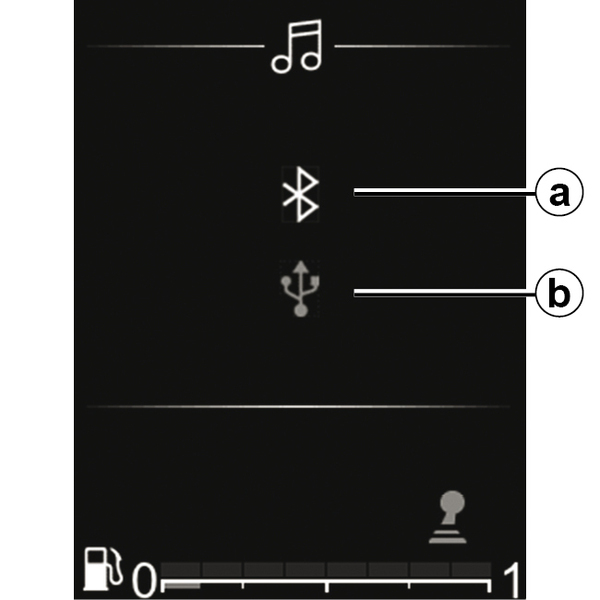
Connecting to the vehicle
Your portable digital audio device must be connected to the audio system via Bluetooth®a or USBb in order for you to access all of its features.
warning
Only handle the portable audio player when traffic conditions permit.
Store the portable audio player safely while driving (risk of being thrown in the event of sudden braking or impact).
For a device already paired, perform the following operations:
- activate the radio Bluetooth® connection;
- enable the telephone or portable digital audio device Bluetooth® connection and make it visible to other devices (refer to the user manual for your device);
- select the Bluetooth® audio source by repeatedly pressing on
 ;
; - select the external audio player or the telephone to be connected via Bluetooth® among those detected by the multimedia system.
Use
Your portable digital audio player must be connected to the audio system to enable access to all of its features.
Note: the portable digital audio player cannot be connected to the audio system unless it has already been paired.
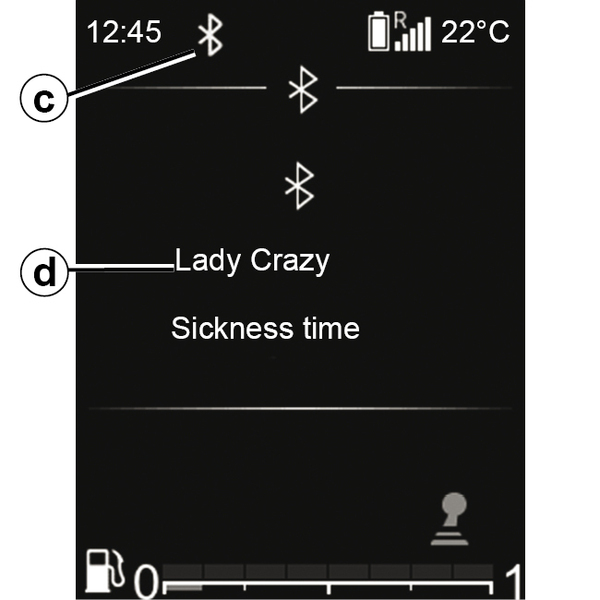
Once the Bluetooth® portable digital audio player is connected, you can operate it via your audio system.
Once the external audio source is connected c, the first audio track will start to play automatically d.
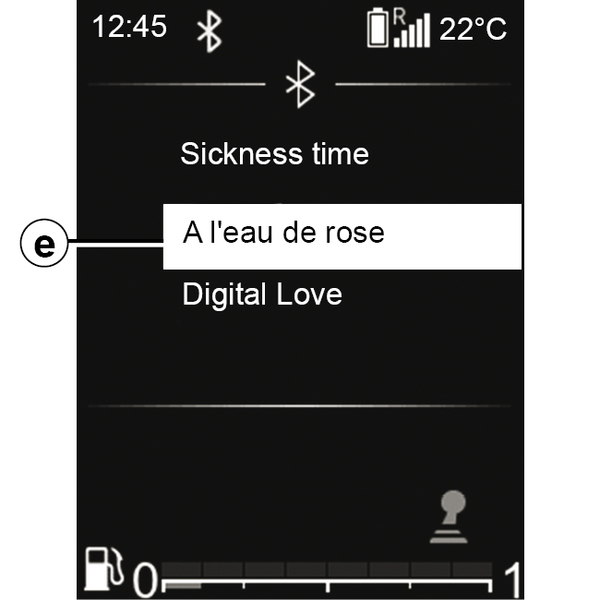
Press
on the steering wheel control to return to the playlist e.
Press
or
to scroll through the tracks.
To return to the playback screen d, press
or wait a moment for the playlist to disappear automatically.
Note: the number of accessible functions
depends on the type of portable digital audio device and its compatibility with the audio system.
Shuffle "MIX"
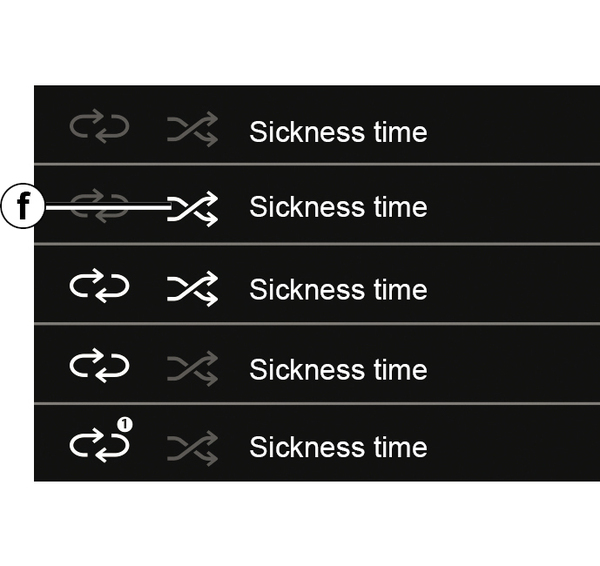
Press and hold on
 to shuffle all of the tracks in the folder.
The " MIX " warning light f appears on the screen. A track is then selected at random. The transition from one track to another takes place randomly.
Press and hold again on
to deactivate the shuffle function: the " MIX " warning light f will disappear.
Turning off the audio system deactivates the shuffle function.
Repeat "RPT"
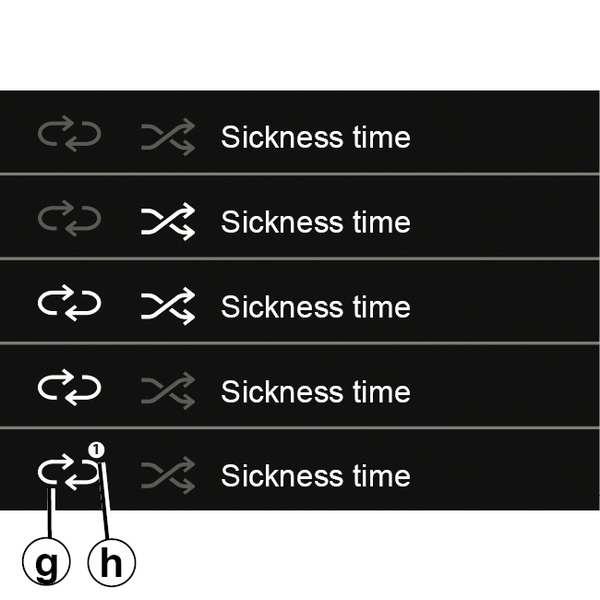
This function enables you to repeat a playlist.
Press briefly on
to enable the repeat function across the entire playlist.
The " RPT " warning light g appears on the screen.
Press briefly again on
to repeat the current track: "1" h will appear on the symbol " RPT ».
Press briefly again on
to deactivate the repeat function, the " RPT " warning light g will disappear.
You can also use these playback options: from the main menu, select the "Media" world then the USB source.
warning
Only operate the portable digital audio player when traffic conditions permit.
Store the portable digital audio player safely while driving (risk of it being thrown in the event of sudden braking or impact).
Mute the sound/Pause
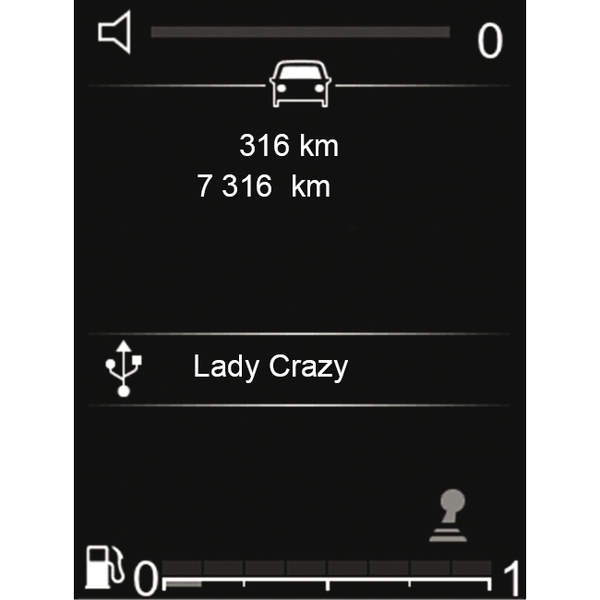
Press briefly on
 to mute the sound or pause the audio track.
Press briefly again on
or perform an action on the volume bar to unmute or play the audio track.
The audio system sound is automatically activated when changing sources or during bulletin broadcasts.