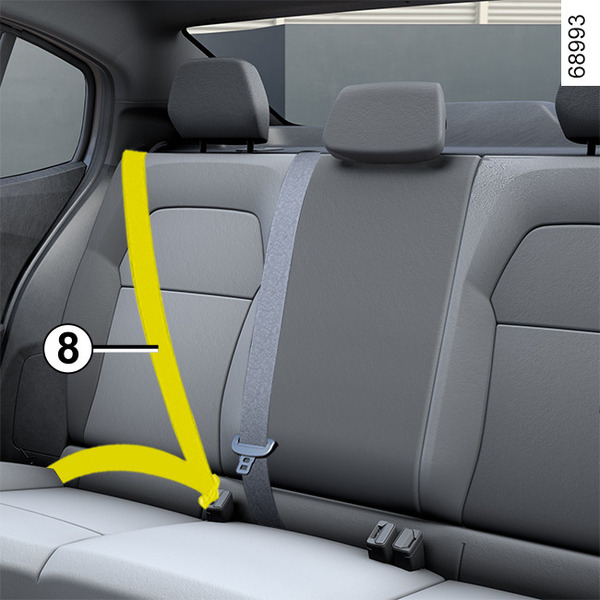
Rear seat belts <?xml version="1.0" standalone="yes"?>Rear seat belts 8 The belts are fastened, unfastened and adjusted in the same way as the front belts. Chapter
Seat belts <?xml version="1.0" standalone="yes"?>Always wear your seat belt when travelling in your vehicle. You must also comply with the legislation of the particular country you are in.Before starting, first adjust your driving position, then ask all occupants to adjust their seat belts to ensure optimum protection. Chapter
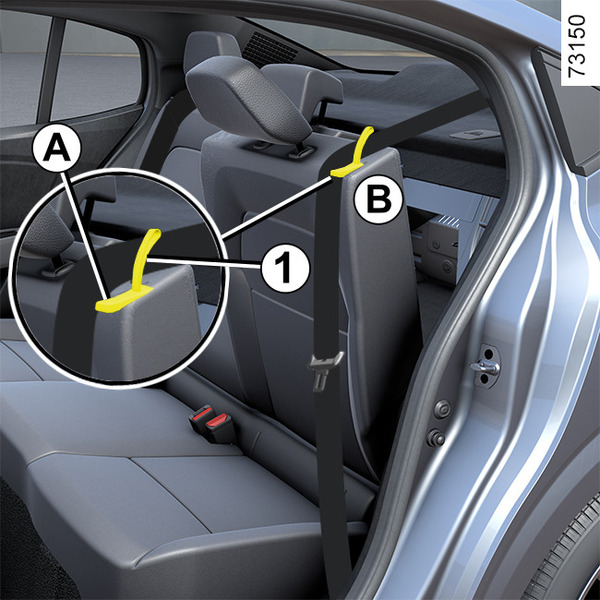
Rear bench seat: functions <?xml version="1.0" standalone="yes"?> To fold down the seatbackEnsure that the front seats are far enough forward.Lower the central headrest as far as it will go.Make sure all seat belts are unfastened and place them in their guides A. Chapter
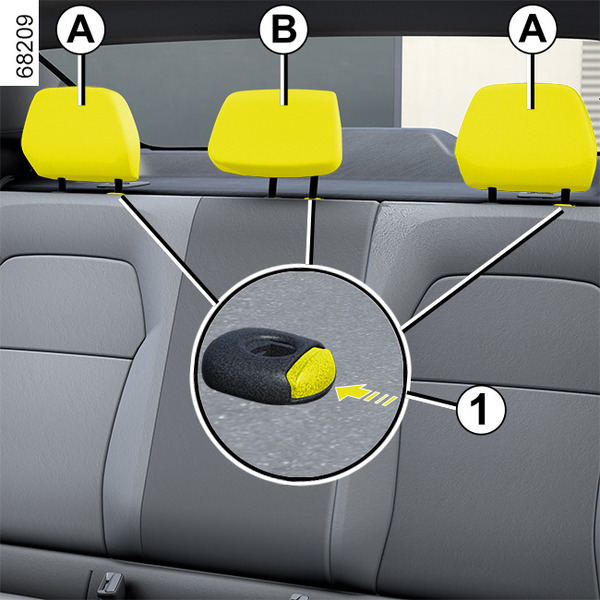
Rear headrests <?xml version="1.0" standalone="yes"?> Removing the headrests A or BRaise the headrest as far as it will go, then press button 1 and remove the headrest.Adjusting the height of the headrest B(depending on the vehicle) Chapter
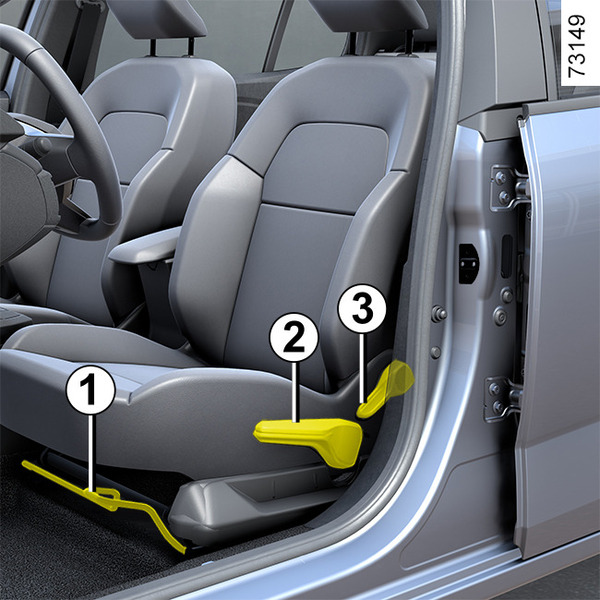
Front seats <?xml version="1.0" standalone="yes"?>Settings To move the seat forwards or backLift and hold the handle 1 to unlock the seat. Release the handle at the desired position and make sure that it is locked.To raise or lower the seat base(depending on the vehicle) Chapter
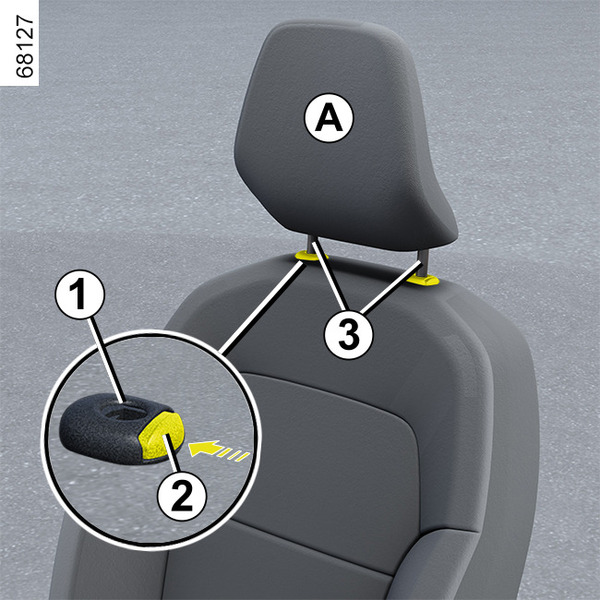
Front headrests <?xml version="1.0" standalone="yes"?>To raise the headrest Pull the headrest upwards to the desired height. Check that it is correctly locked. Chapter