Dacia Spring
Connecting a paired phone
Your phone must be connected to the hands-free phone system in order to use all its functions.
A telephone cannot be connected to the hands-free telephone system unless it has previously been paired Pairing/unpairing a phone.
Note: your phone's Bluetooth® connection must be activated and set to "visible".
Automatic connection
As soon as the vehicle ignition is switched on, the audio system searches for paired telephones in the vicinity.
Note: the last phone to have been connected is given priority.
Searching will continue until a paired telephone is found (this may take several minutes).
Note: for more information on the list of compatible phones, please contact an approved dealer:
- you can use automatic telephone connection with the ignition switched on. You may need to activate the automatic Bluetooth® connection function on your hands-free phone system. To do this, refer to your phone user manual;
- when reconnecting, if two paired phones are within range of the hands-free system, the last phone to have been connected will take priority, even if this phone is outside the vehicle but within range of the hands-free system;
- if a call is already in progress when your hands-free telephone system is connected, the telephone will connect automatically and the conversation audio will switch to the vehicle speakers.
warning
Your hands-free phone system is only intended to facilitate communication by reducing the risk factors, without removing them completely. Always comply with the laws of the country in which you are travelling.
warning
For safety reasons, carry out these operations when the vehicle is stationary.
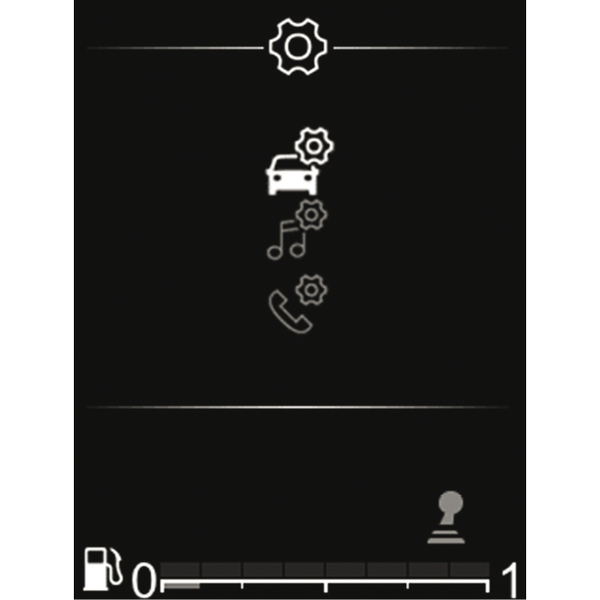
Manual connection (changing the phone connected)
Press
 to access the main menu, select the "Phone" world using
 on the steering column,
 or
or
 , then
 to confirm.
Select the "Select phone" menu using
on the steering column,
or
, then
to confirm.
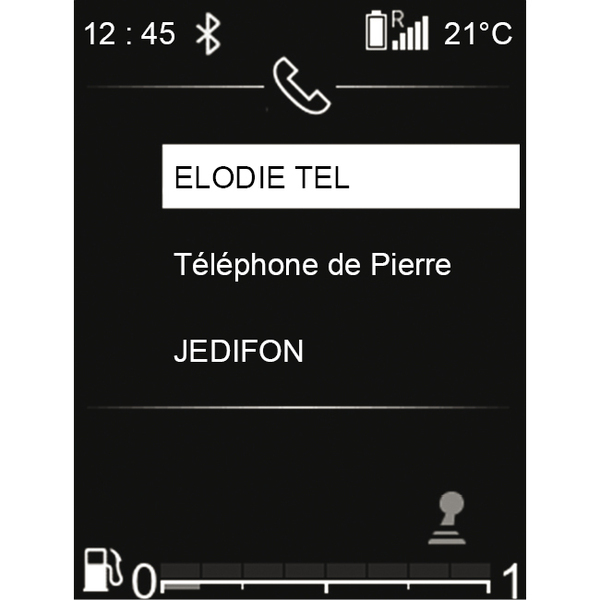
The list of phones already paired is displayed.
Select the telephone that you wish to connect from the list using the control knob on the steering column,
or
, then
to confirm.
A message will appear to confirm that the telephone is connected.
Note: if a phone is already connected when switching to another phone, the existing connection is automatically replaced by that of the new phone.
Connection failure
If connection fails, check that:
- your phone is switched on;
- your phone battery is not flat;
- your phone has already been paired to the hands-free telephone system;
- Bluetooth® is now enabled on your phone and on the audio system;
- the phone is configured to accept the audio system's connection request.
Note: using your hands-free telephone system for prolonged periods will discharge your phone's battery more quickly.
Telephone information
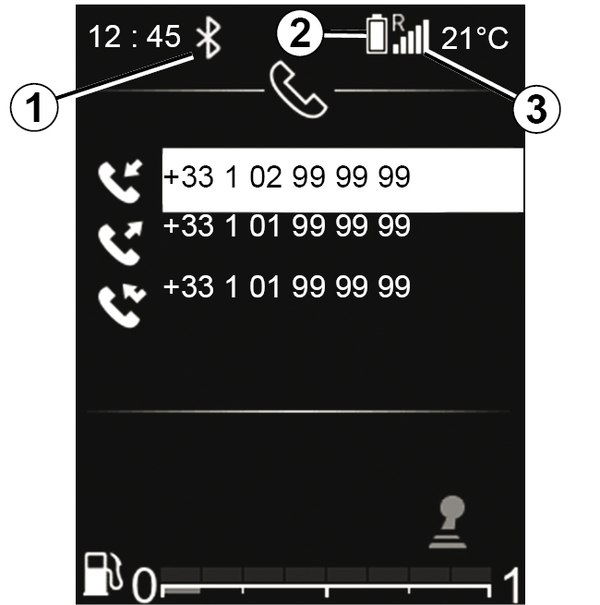
Once connected, the audio system displays telephone-related information:
- the type of connection to the multimedia system 1;
- the telephone battery level 2;
- the telephone network status 3.
Disconnect a phone
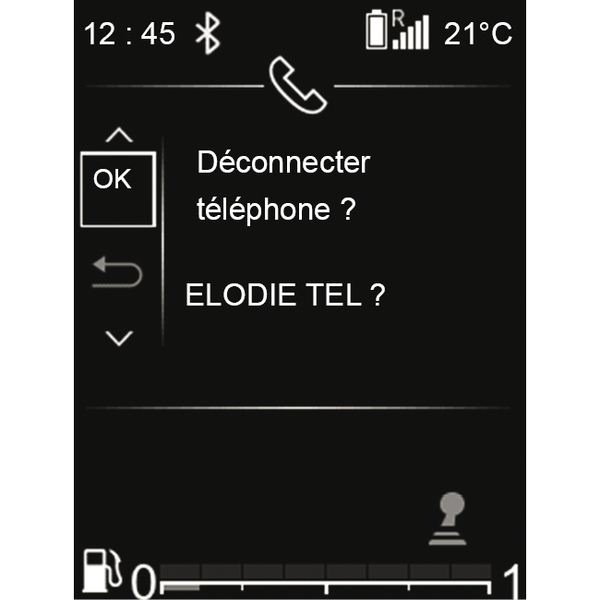
To disconnect your telephone, you can:
- deactivate the Bluetooth® function on your audio system;
- deactivate your phone's Bluetooth® function;
- delete the paired phone via the audio system Pairing/unpairing a phone.
If the phone is switched off, the phone will be disconnected.
A message is then displayed on the audio system screen to confirm that the phone is disconnected.
Note: if a call is in progress when the phone is disconnected, the call will be automatically transferred to your phone.
To deactivate the Bluetooth® on your audio system, Bluetooth® function.
To disable your smartphone's Bluetooth®, refer to your phone's user guide.
To unpair and delete the phone Bluetooth®, Pairing/unpairing a phone.