Dacia Bigster
Multimedia system
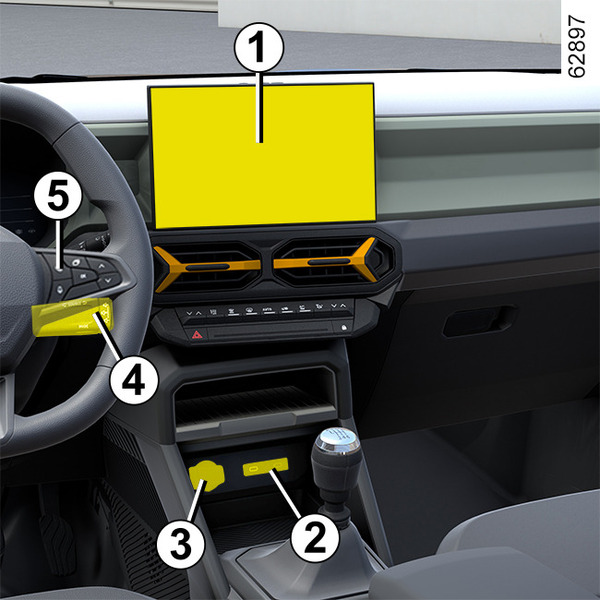
The presence and location of this equipment depends on the vehicle’s multimedia equipment.
- 1.
Multimedia screen.
- 2.
Multimedia sockets USB‑C in the centre console.
- 3.
Accessories socket Accessories socket.
- 4.
Steering column control.
- 5.
Voice command.
- 6.
Multimedia sockets USB‑C for the rear passengers.
warning
Using the telephone
We remind you of the need to conform to the legislation in force concerning the use of such equipment.
Multimedia sockets
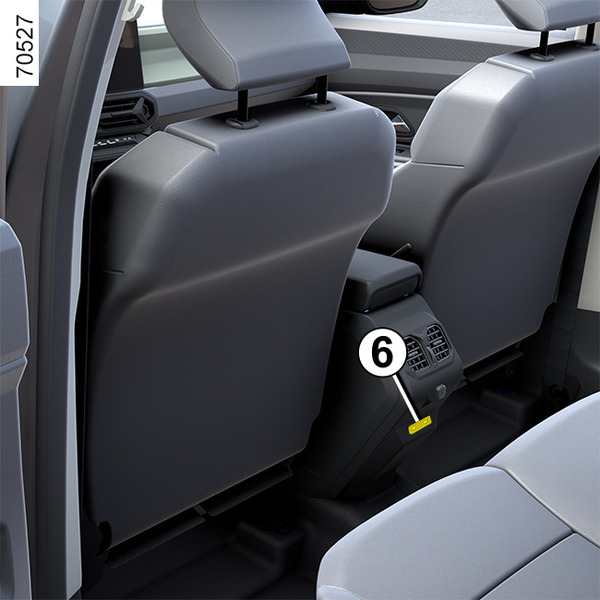
The multimedia sockets USB‑C2 and 6 can be used to charge accessories with a maximum power of 12 Watts (5 Volts) per socket.
Note: the multimedia sockets USB‑C2 can also be used the transfer data.
tip
Please refer to the multimedia instructions for further information.
warning
Connect accessories with a maximum power of 12 watts only.
Fire hazard.
Hands-free telephone integrated control
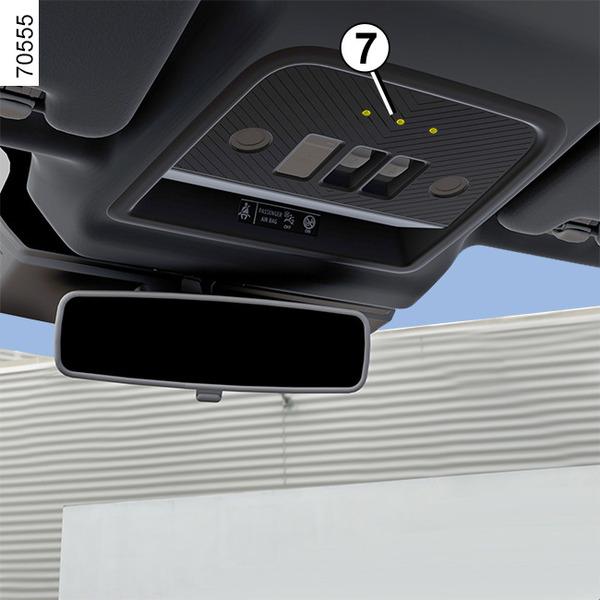
Use the microphone 7 and the steering column control 4.
warning
Using the telephone
We remind you of the need to conform to the legislation in force concerning the use of such equipment.
Induction charging area 8 and 9
(depending on the vehicle)
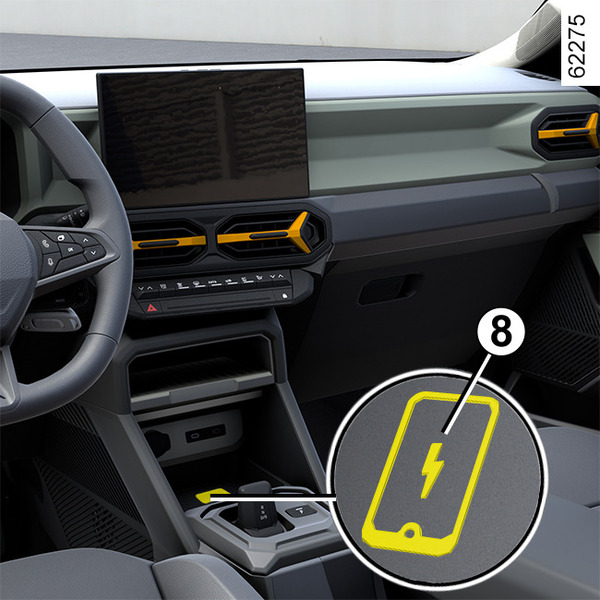
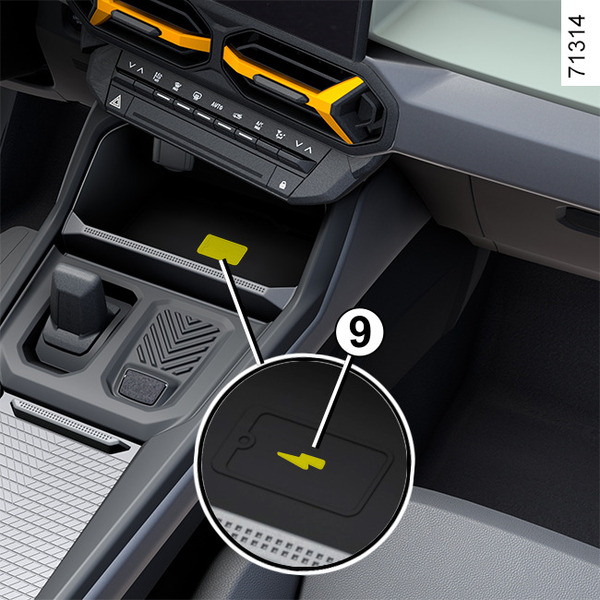
Passenger compartment storage, fittings.
Phone holder A
(depending on the vehicle)
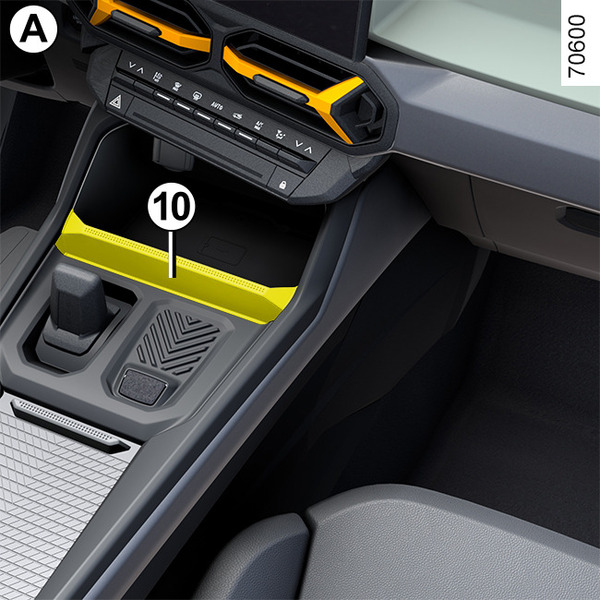
Insert your smartphone (or tablet) into the housing 10. Make sure it is firmly held before use.
tip
The housing 10 must only be used to store tablets or smartphones.
warning
For safety reasons, carry out any adjustments while the vehicle is stationary.
warning
Make sure that the telephone is securely held in place in the telephone holder to ensure that it is not thrown onto the occupants during sudden turning or braking.
warning
Using the telephone
We remind you of the need to conform to the legislation in force concerning the use of such equipment.
Removable phone holder B
On vehicles that are equipped, to fit the removable telephone holder B, observe the following instructions:
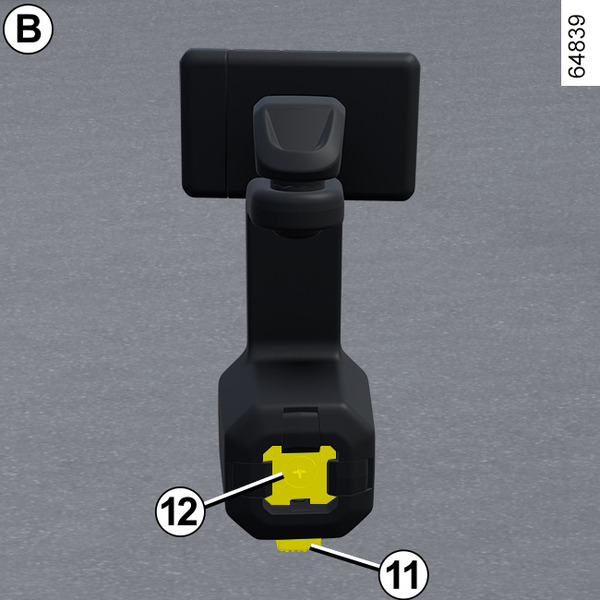
- press button 11 on telephone holder B;
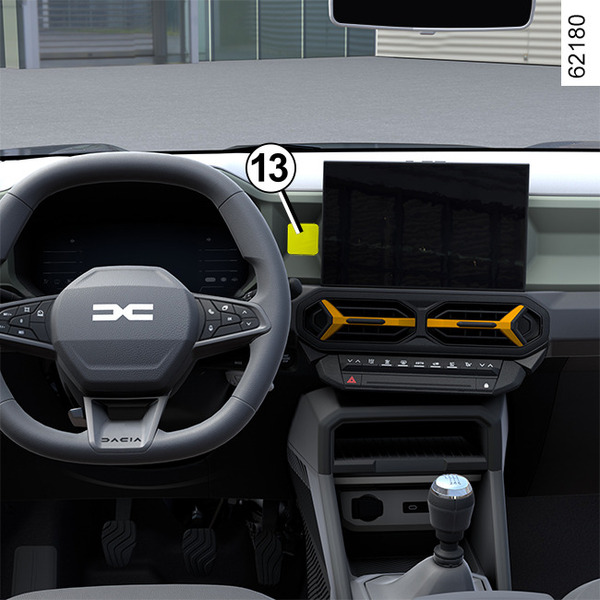
- attach the base 12 of the telephone holder to the multi-accessory holder YouClip13;
- pull the clamp 16 to the right;
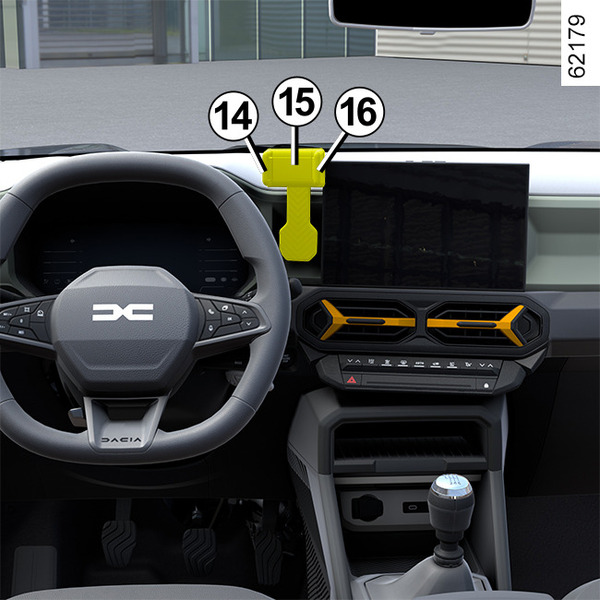
- place your telephone in the telephone holder 15 pressing the fixed clamp 14, then release the clamp 16 so that the telephone is firmly held in place between clamps 14 and 16.
To remove the removable telephone holder B, press button 11.
Note: You can manually adjust the tilt of the telephone holder 15 to the desired position.
Only use the telephone holder approved by the Technical Department.
warning
Make sure that the base of the telephone holder is correctly fitted and that the telephone is securely held in place in the telephone holder, so that it is not thrown onto the occupants during sudden turning or braking.
warning
For safety reasons, carry out any adjustments while the vehicle is stationary.
warning
Using the telephone
We remind you of the need to conform to the legislation in force concerning the use of such equipment.