Dacia Striker
Introduction
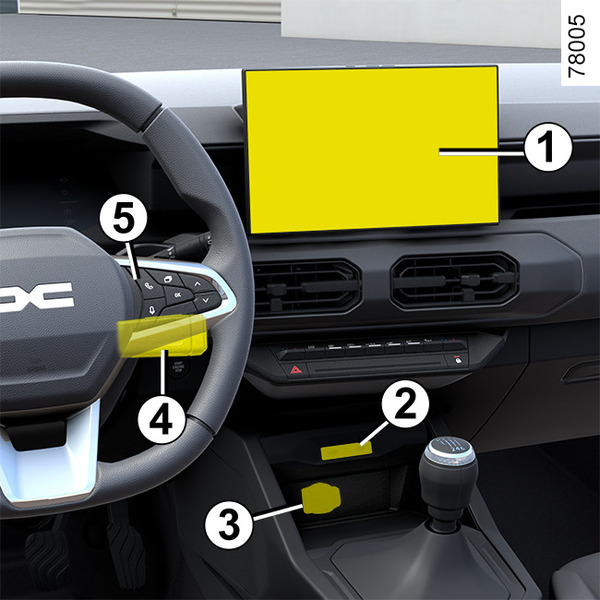
- 1.
Multimedia touchscreen.
- 2.
Multimedia socket USB‑C 15 Watts.
- 3.
Accessories socket Accessories socket.
- 4.
Steering column control.
- 5.
Voice command.
tip
To operate this equipment: see the equipment manual.
tip
Depending on the vehicle, the multimedia touch screen 1 may be protected by film. Do not remove it. In the case of damage, please contact an approved Dealer to have it replaced.
warning
Using the telephone
We remind you of the need to conform to the legislation in force concerning the use of such equipment.
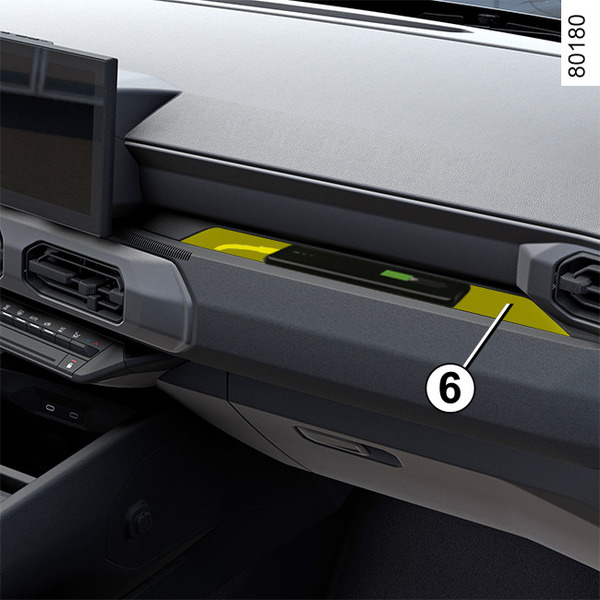
- 6.
Telephone storage.
USB ‑ C multimedia ports
The USB‑C multimedia ports can be used to charge accessories requiring less than 15 Watts of power for port 2.
Note: the USB‑C multimedia sockets 2 can also be used to transfer data. Example: smartphone mirroring on the multimedia screen via Android Auto™ or Apple CarPlay™
The presence and location of this equipment depends on the vehicle’s multimedia equipment.
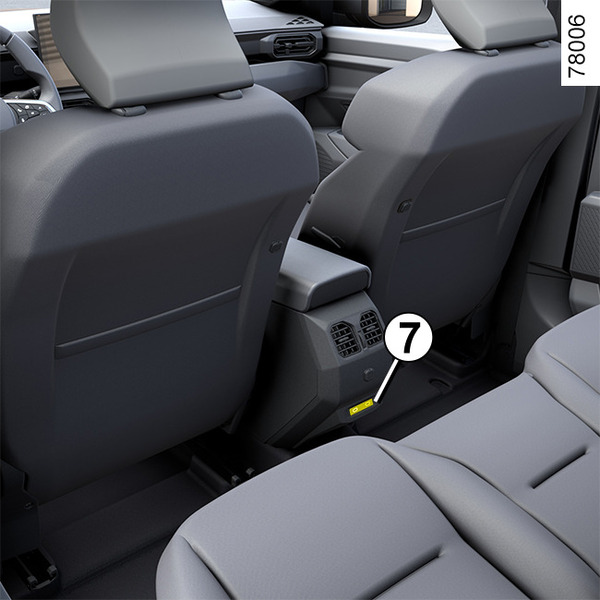
- 7.
Multimedia sockets USB‑C for the rear passengers.
tip
To ensure your accessory is charged, make sure that the power required to charge your accessory matches the power supplied by the USB‑C port used.
tip
When connecting a cable from an accessory to a USB port (e.g. the charging cable of a smartphone, etc.), make sure to disconnect it after use.
Risk of short circuit and damage to the USB port in the event of contact between the end of the cable and a metallic object (e.g. cigarette lighter, etc.).
The USB‑C multimedia ports 7 can be used to charge accessories with a power not exceeding 15 Watts (5 V) per port.
tip
Please refer to the multimedia instructions for further information.
Hands-free telephone integrated control
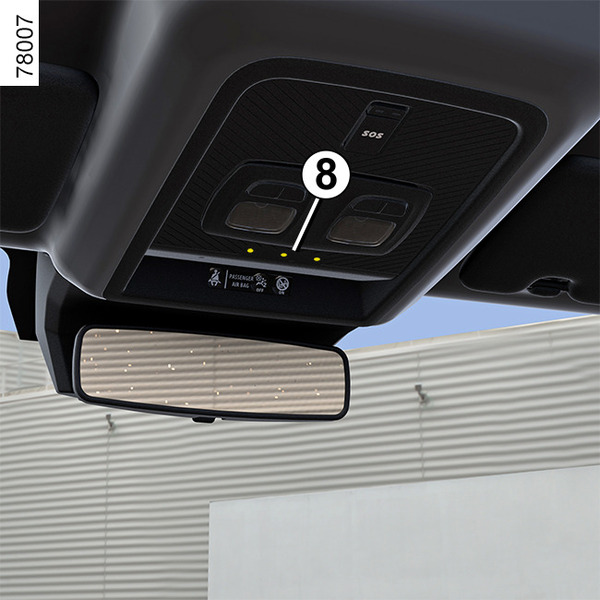
Use the microphone 8 and the voice control 5.
warning
Using the telephone
We remind you of the need to conform to the legislation in force concerning the use of such equipment.
Induction charging area 9
(depending on the vehicle)
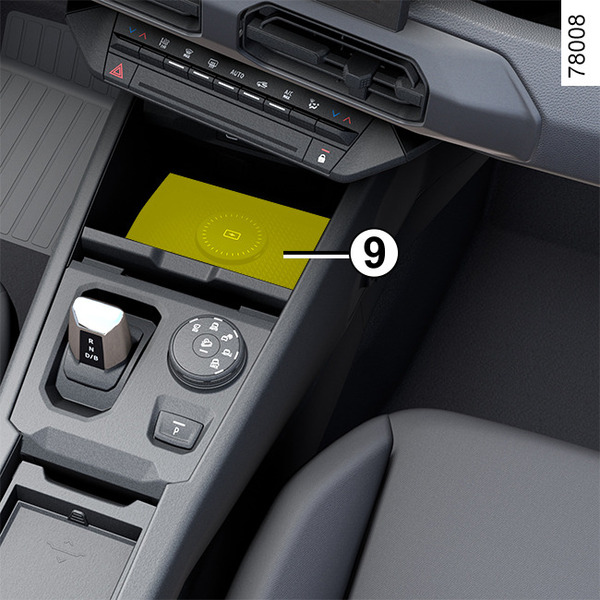
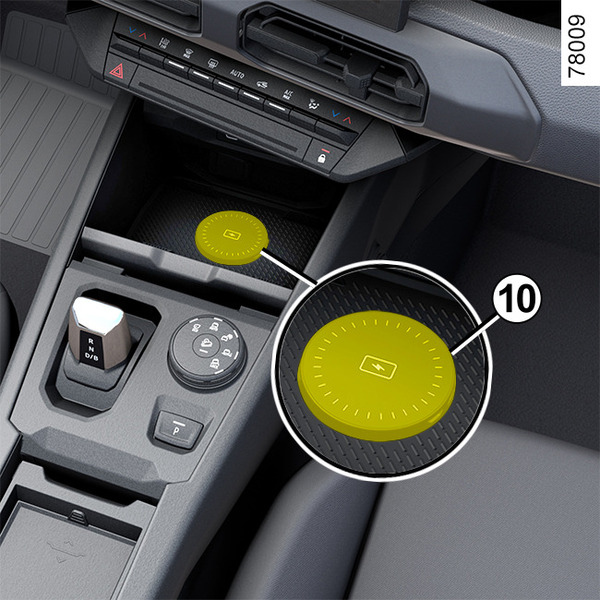
Depending on the vehicle, zone 9 is equipped with a magnetic device 10Passenger compartment storage, fittings.
tip
When driving, make sure that the container held by the cup holder is properly closed so that it does not tip over.
Risk of damage to surrounding electrical and/or electronic equipment in the event of liquid spillage.
Removable support telephone holder 11
On vehicles that are equipped, to fit the removable telephone support 11, observe the following instructions:
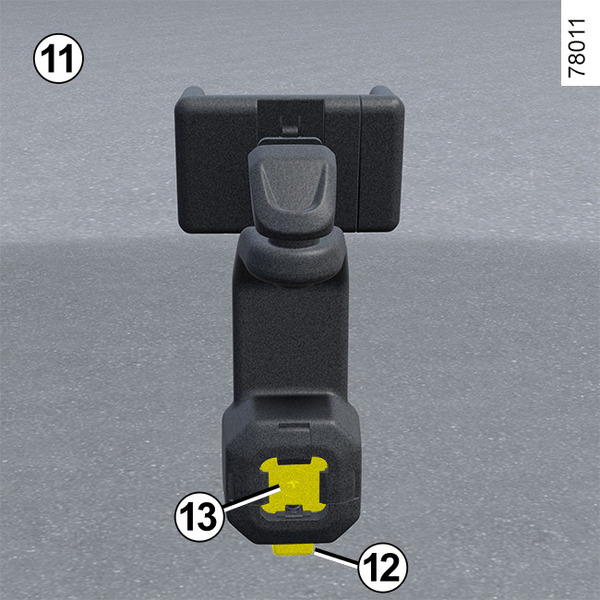
- press the button 12 on the phone holder 11;
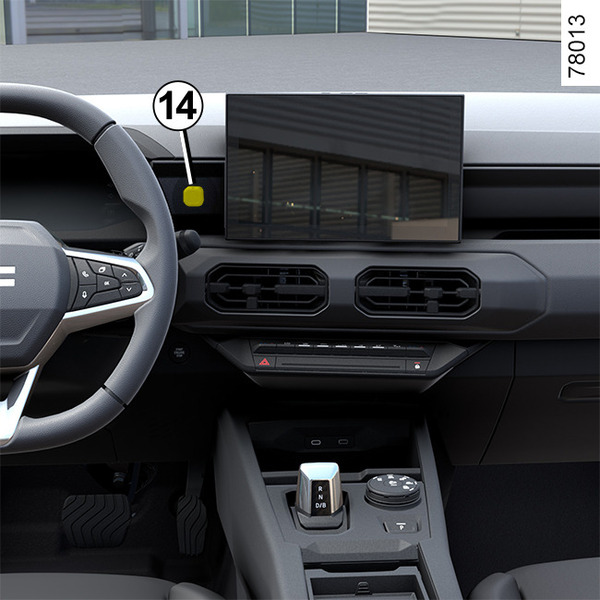
- attach the base 13 of the telephone holder to the door YouClip14;
- pull the clamp 16 to the right;
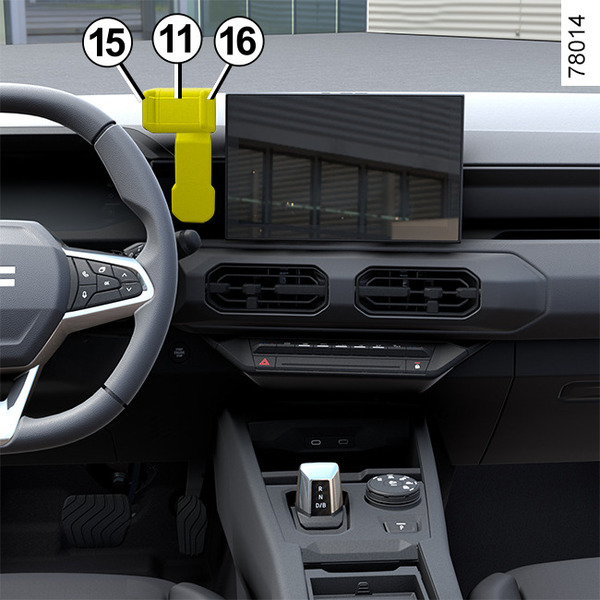
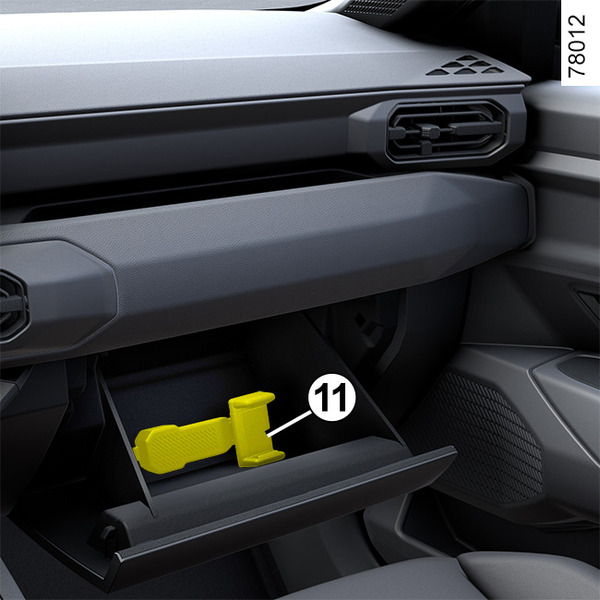
- place your telephone in the telephone holder 11 pressing the fixed clamp 15, then release the clamp 16 so that the telephone is firmly held in place between clamps 15 and 16.
To remove the removable telephone holder 11, press the button 12.
Note: You can manually adjust the angle of the telephone holder 11 to the desired position.
Only use the telephone holder approved by the Technical Department.
warning
Make sure that the base of the telephone holder is correctly fitted and that the telephone is securely held in place in the telephone holder, so that it is not thrown onto the occupants during sudden turning or braking.
warning
For safety reasons, carry out any adjustments while the vehicle is stationary.
warning
Using the telephone
We remind you of the need to conform to the legislation in force concerning the use of such equipment.