My Safety

<?xml version="1.0" standalone="yes"?>

The « My Safety » function can be used to deactivate or activate a set of driving assistance functions simultaneously.

Depending on the vehicle, you can configure the « My Safety » function from the multimedia screen or from the instrument panel by selecting the driving aid functions to be switched off as a group.

Chapter

Tyre pressure loss warning

<?xml version="1.0" standalone="yes"?>

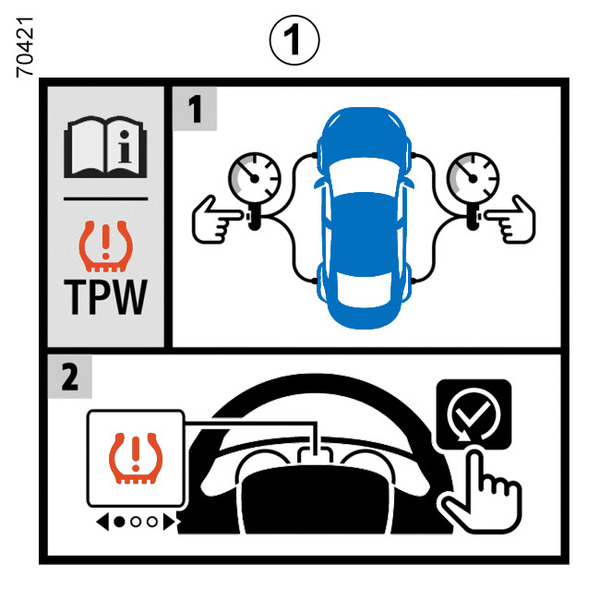
When fitted to the vehicle, this system notifies the driver if one or more tyres lose pressure.

The system can be identified by the 1 label in the vehicle.

Chapter

Driving advice, eco-driving

<?xml version="1.0" standalone="yes"?>

Range is accredited in according to a standard regulatory method. Identical for all manufacturers, this enables vehicles to be compared with one another.

Range in real time depends on vehicle usage conditions, equipment fitted and the user’s driving style. To optimise range, please refer to the following advice.

Depending on the versions, you will be provided with functions which enable you to lower energy consumption:

Chapter

Environment

<?xml version="1.0" standalone="yes"?>

Your vehicle has been designed with respect for the environment in mind for its entire service life: during its production, usage and at the end of its service life.

Chapter

Handbrake

<?xml version="1.0" standalone="yes"?>

To release

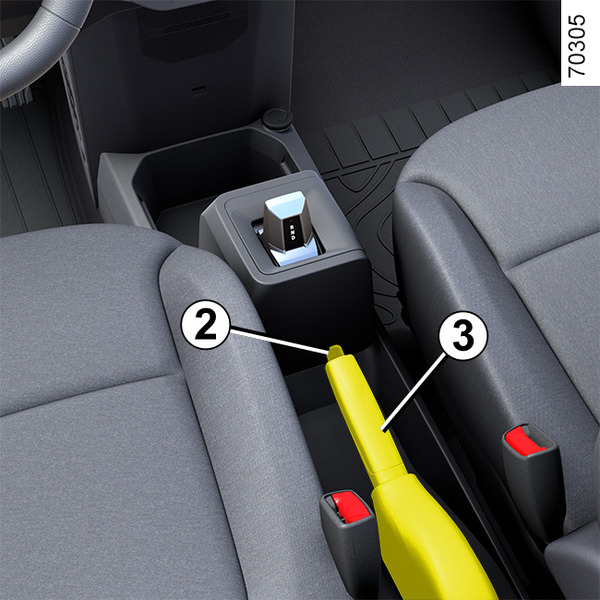
Pull the lever 3 upwards slightly, press button 2 and lower the lever to the floor.

Chapter

Gear control

<?xml version="1.0" standalone="yes"?>

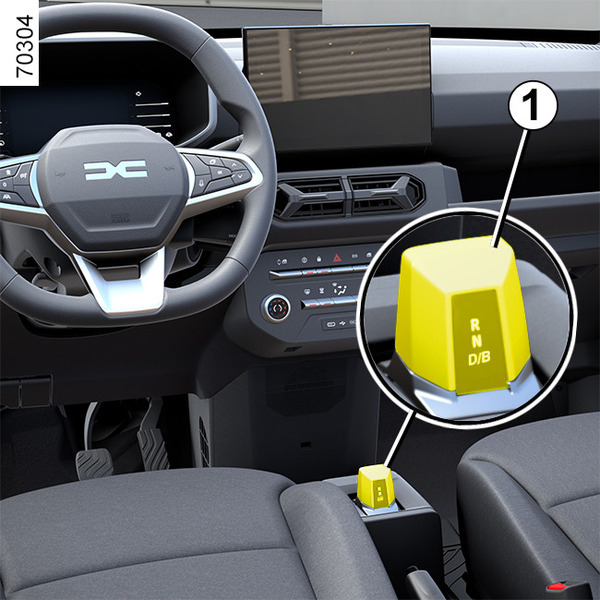
Electronic selector lever 1

R: Reverse mode.

N: Neutral.

D: Automatic mode.

B: Forward gear with increased regenerative braking.

Chapter

Starting, stopping the engine

<?xml version="1.0" standalone="yes"?>

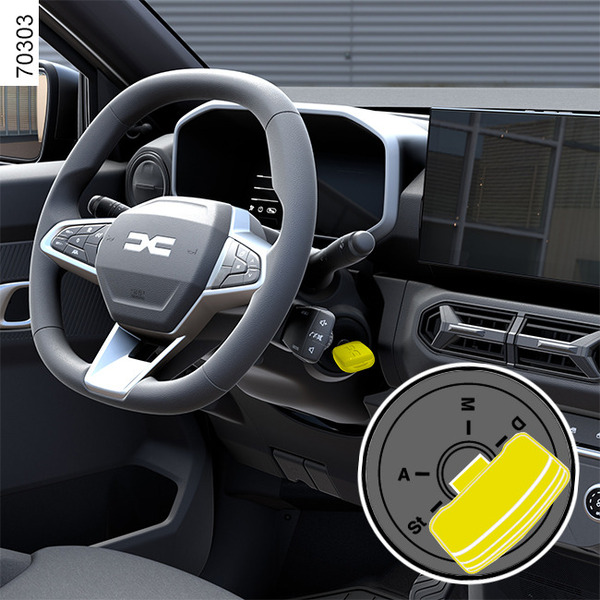
Stop and steering lock position St

To lock : remove the key and turn the steering wheel until the steering column locks.

To unlock : turn the key and the steering wheel slightly.

Chapter