Dacia Bigster
Front door storage compartments 1
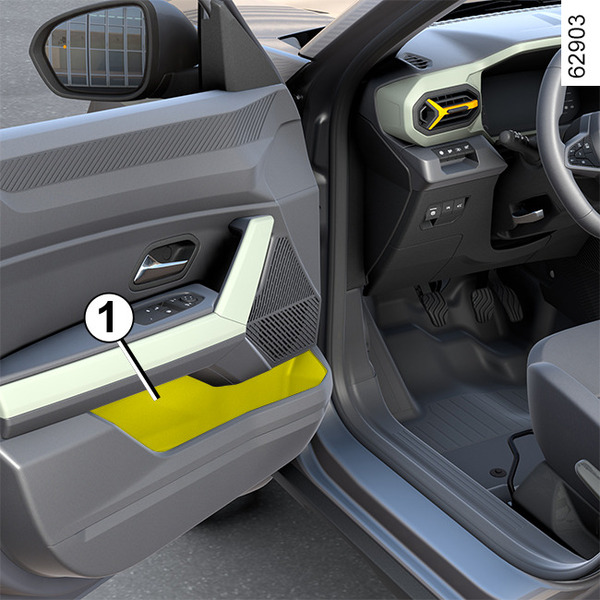
warning
Nothing should be placed on the floor (area in front of the driver) as these objects may slide under the pedals during sudden braking manoeuvres, thus obstructing their use.
Centre console storage compartment 2
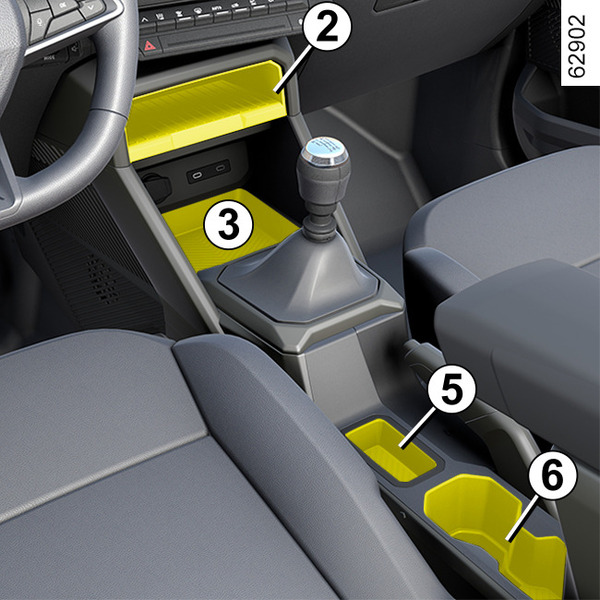
Centre console storage compartment/Induction charging zone 3
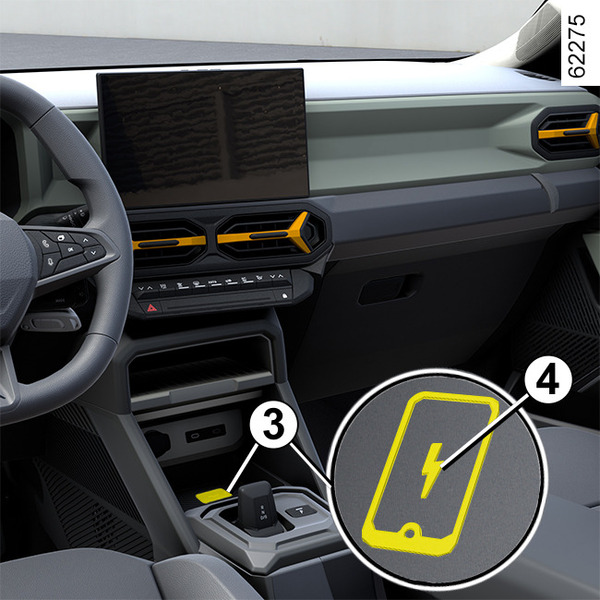
Depending on the vehicle, you can use the induction charging zone 3 to charge a smartphone without using a cable.
Depending on the vehicle, an indicator light 4 informs you of the state of charge according to its colour:
- green when charging is complete;
- yellow when charging is in progress;
- flashes in yellow when a metal object is detected in the induction charging area.
For more information on the induction charging zone, please refer to the multimedia instructions.
tip
When driving, make sure that the container held by the cup holder is properly closed so that it does not tip over.
Risk of damage to surrounding electrical and/or electronic equipment in the event of liquid spillage.
tip
It is essential not to leave any objects (start-up card, USB drive, SD card, credit card, jewellery, keys, coins, etc.) 3 in the induction charging zone when charging your phone.
Remove any magnetic cards or credit cards from the phone case before positioning your telephone in the induction charging area 3.
tip
Objects left in the induction charging area 3 may overheat.
You are advised to place them in the areas provided for this purpose (storage compartment, sun visor compartment etc.).
warning
Ensure that no hard, heavy or pointed objects are placed in the "open" storage compartments in such a way that they may fall onto passengers during sudden turning, braking or in the event of an accident.
Central storage compartment 5
Placement for cup or ashtray 6
warning
Ensure that no hard, heavy or pointed objects are placed in the "open" storage compartments in such a way that they may fall onto passengers during sharp turning, sudden braking or in the event of an accident.
Centre console storage compartment/Induction charging zone 7
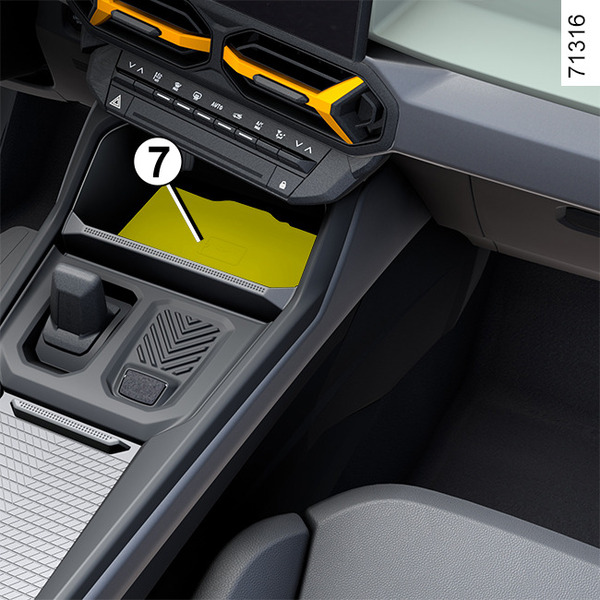
Depending on the vehicle, you can use the induction charging zone 7 to charge a smartphone without using a cable.
Depending on the vehicle, an indicator light 8 informs you of the state of charge according to its colour:
- green when charging is complete;
- yellow when charging is in progress;
- flashes in yellow when a metal object is detected in the induction charging area.
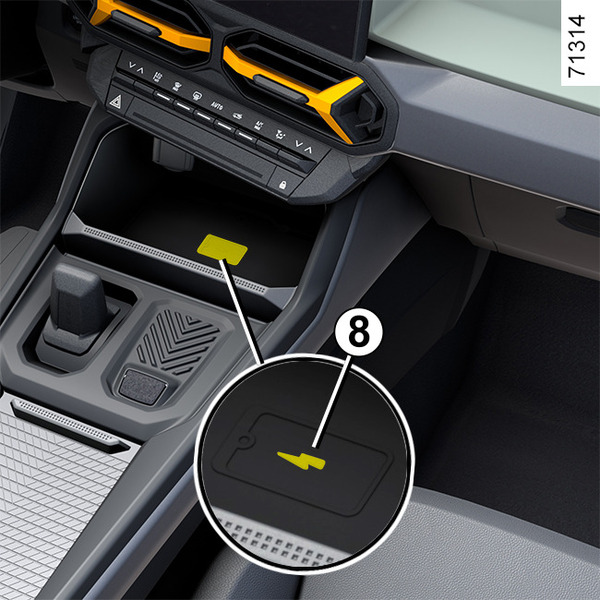
For more information on the induction charging zone 7, please refer to the multimedia instructions.
tip
When driving, make sure that the container held by the cup holder is properly closed so that it does not tip over.
Risk of damage to surrounding electrical and/or electronic equipment in the event of liquid spillage.
Removable cup holder 10
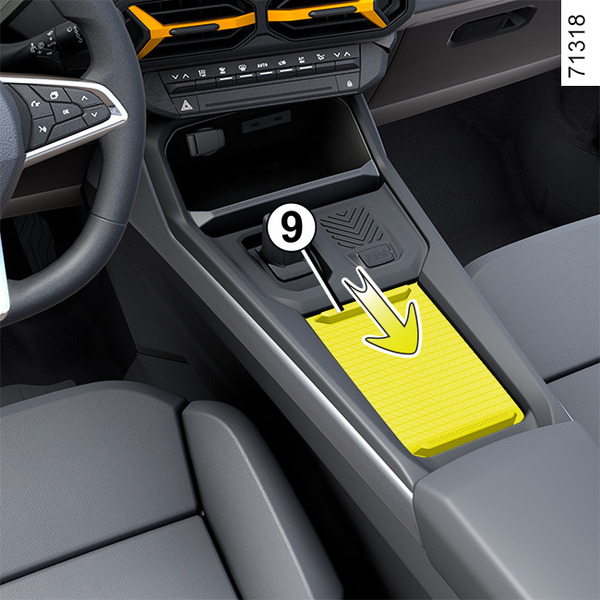
Slide 9 to access the cup holder 10.
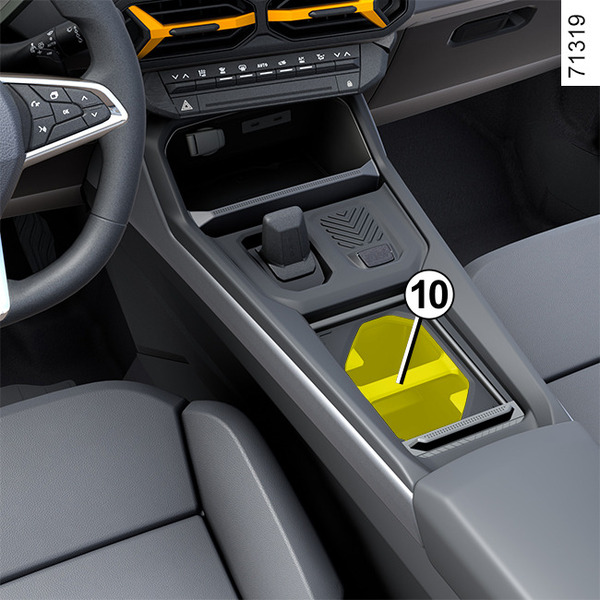
The cup holder is equipped with retaining hooks to keep the cup in place 10.
The cup holder 10 can be removed to create a storage space.
Passenger side storage compartment
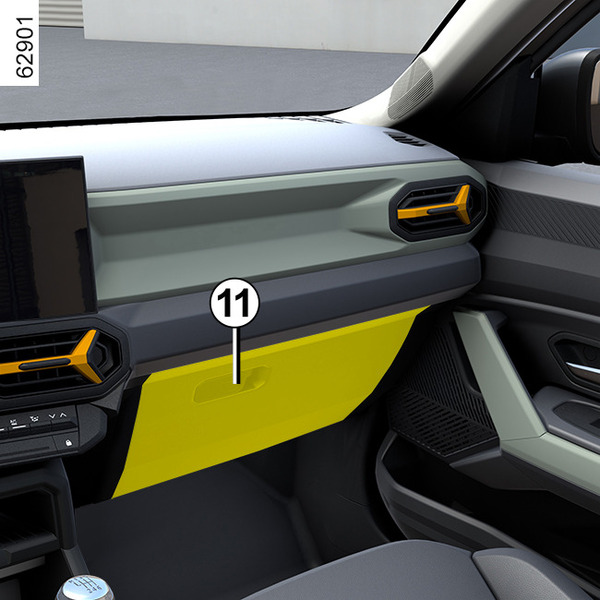
Pull handle 11 to open it.
This glove box can be used to store A4 format documents.
Inside the cover, a compartment is provided for pens, maps, etc.
warning
Nothing should be placed on the floor (area in front of the driver) as these objects may slide under the pedals during sudden braking manoeuvres, thus obstructing their use.
Centre console storage compartment 12
(depending on the vehicle)
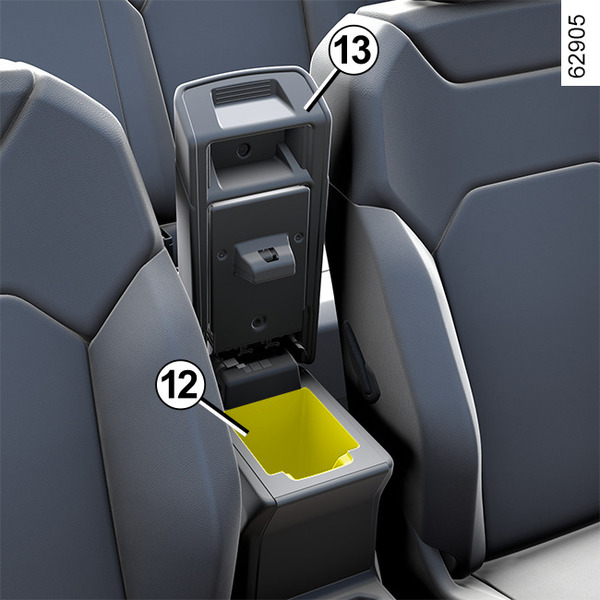
Lift the central armrest cover 13.
Centre console storage compartment 14
(depending on the vehicle)
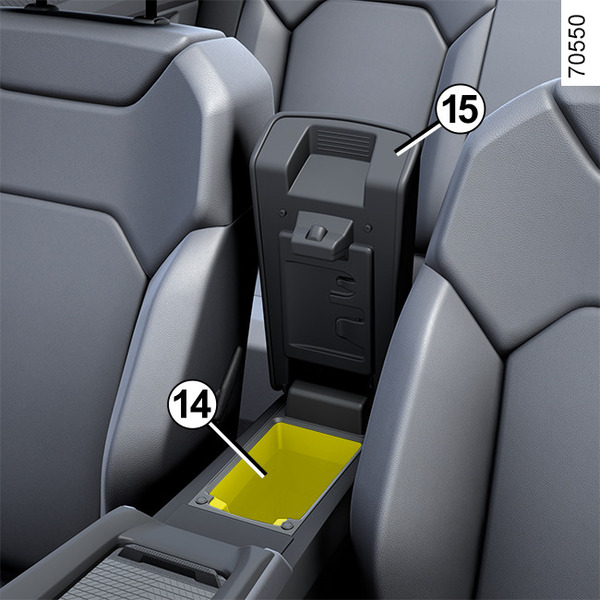
Lift the central armrest cover 15.
Storage compartment 14 is ventilated according to the temperature set by the air conditioning.
Rear door storage compartment 16
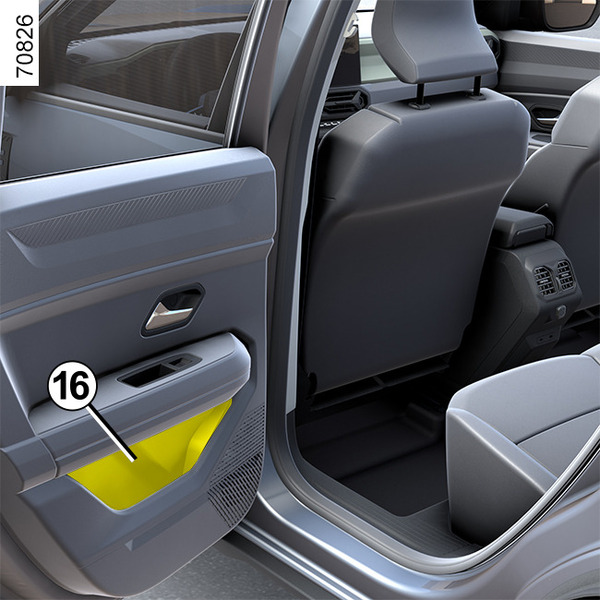
warning
Ensure that no hard, heavy or pointed objects are placed in the "open" storage compartments in such a way that they may fall onto passengers during sharp turning, sudden braking or in the event of an accident.
Front seat storage compartments 17
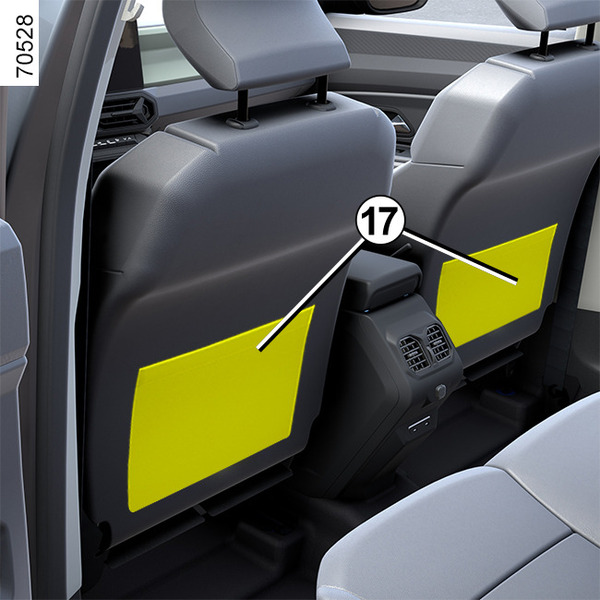
Cup holders 19
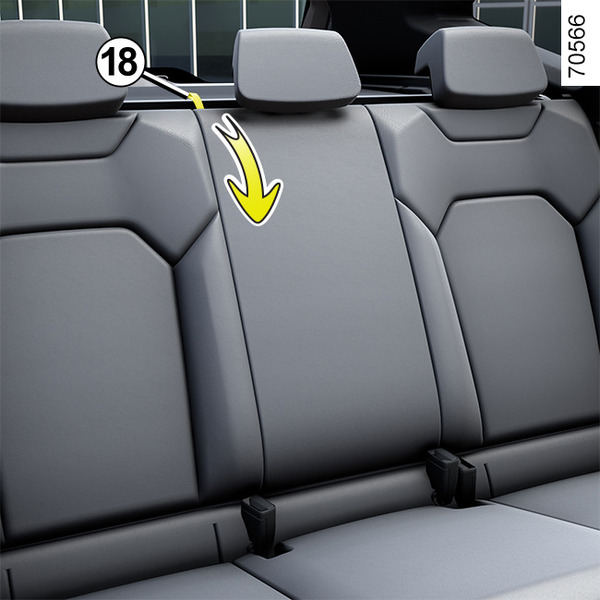
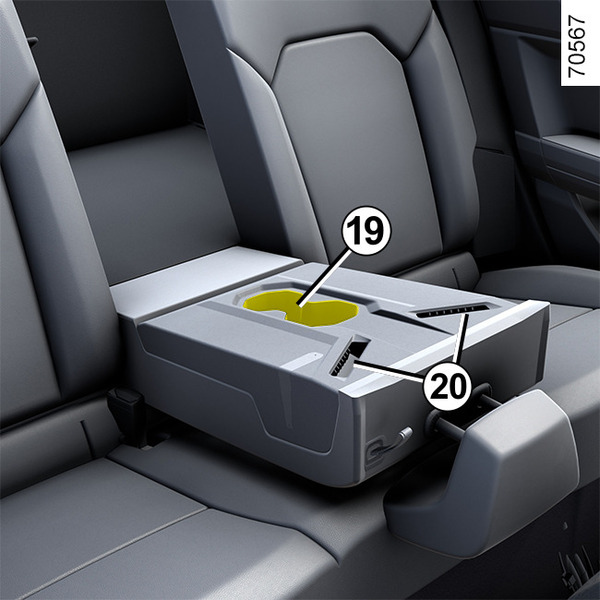
To access the cup holders 19 or phone holder 20, pull the strap 18.
tip
When driving, make sure that the container held by the cup holder is properly closed so that it does not tip over.
Risk of damage to surrounding electrical and/or electronic equipment in the event of liquid spillage.
warning
When closing the armrest, make sure that no body parts (arms, hands, fingers, etc.) are near the locking area.
Risk of trapping.
warning
When turning corners, accelerating or braking, ensure that the receptacle being held by the cup holder is not dislodged.
There is a risk of burning if hot liquid escapes.
Telephone holder 20
Insert your smartphone into the housing to keep it in place.
tip
The housing must only be used to store smartphones.
Bag hooks 21
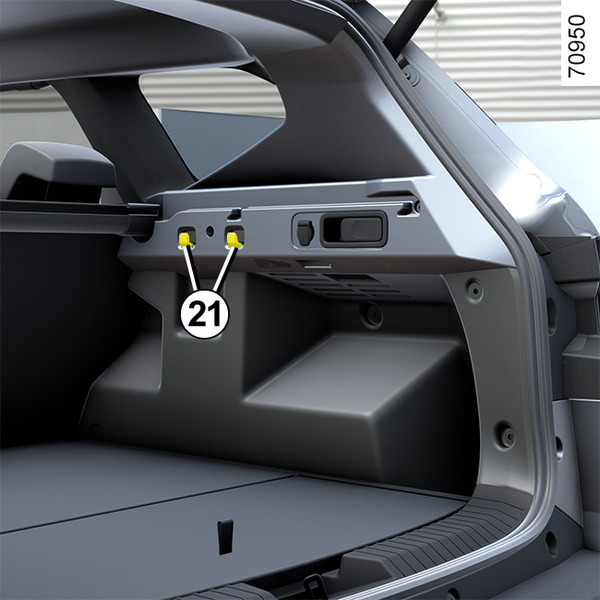
Maximum weight per hook: 5 kg.
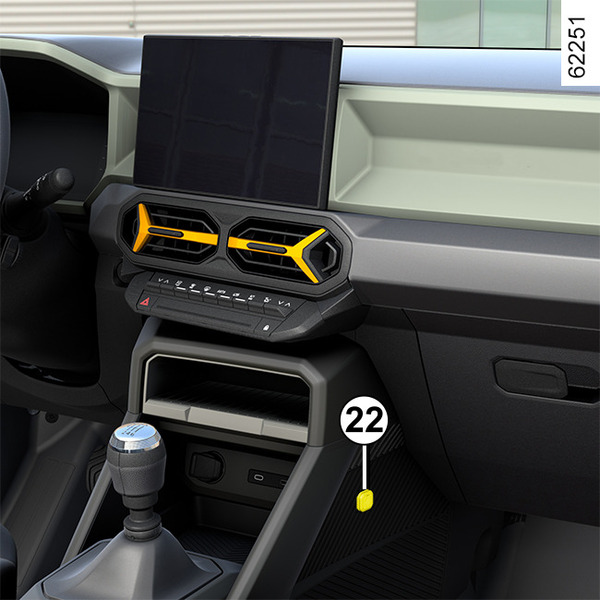
Multi-accessory holder YouClip 22 , 23 , 24 and 25
Depending on the vehicle, they are designed to secure the cube 26, the bulb 29, the bag hook 31 (located in the luggage compartment) or accessories approved by the Technical Department.
Contact an approved Dealer for all advice.
warning
Ensure that the accessories YouClip are correctly fitted so that they are not thrown onto passengers during sudden turning, braking or in the event of an accident.
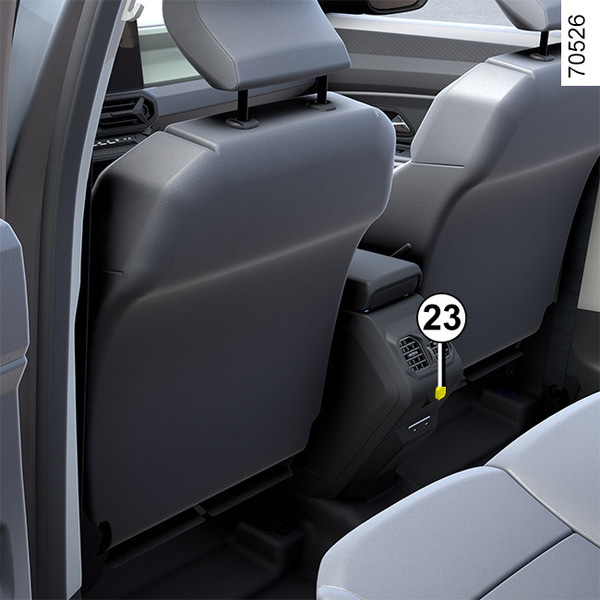
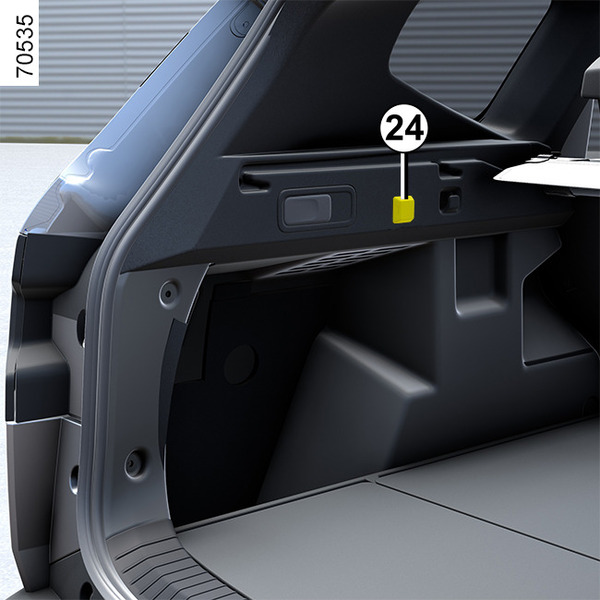
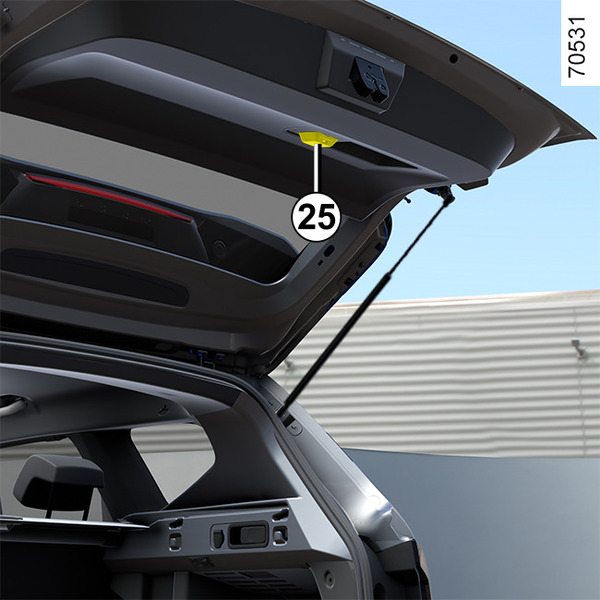
Cube 26
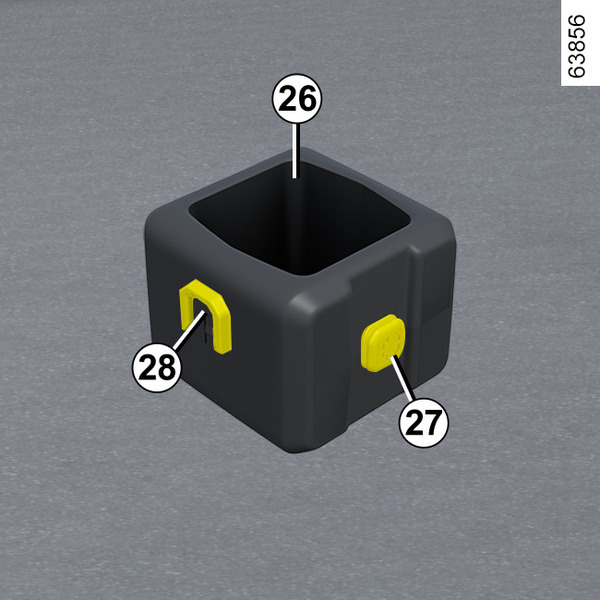
To install the base on equipped vehicles, slide the base 28 of the cube from top to bottom on the multi-accessory holder 22 or 23.
You can use the cube as a cup holder.
To remove the cube, slide the base 28 of the cube from bottom to top on the multi-accessory holder.
Maximum weight per cube: 0.5 kg.
Lamp 29
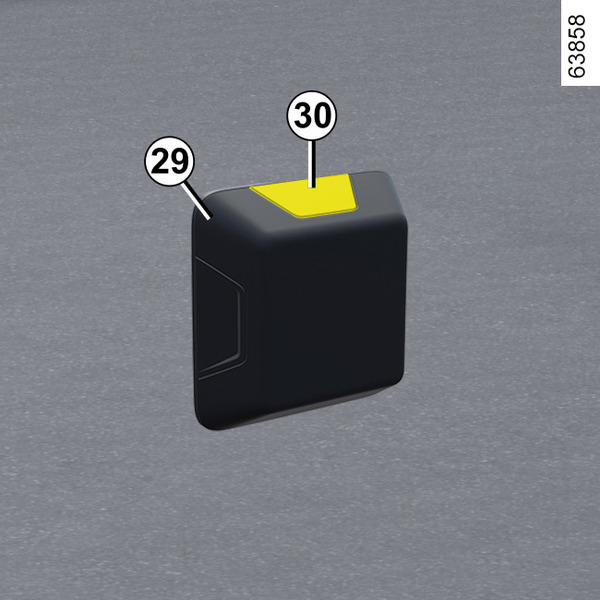
You can attach the lamp to the base 27 of the cube or to one of the multi-accessory holders 22, 23, 24 or 25.
Press the button 30 to switch on the lamp.
Bag hooks 31
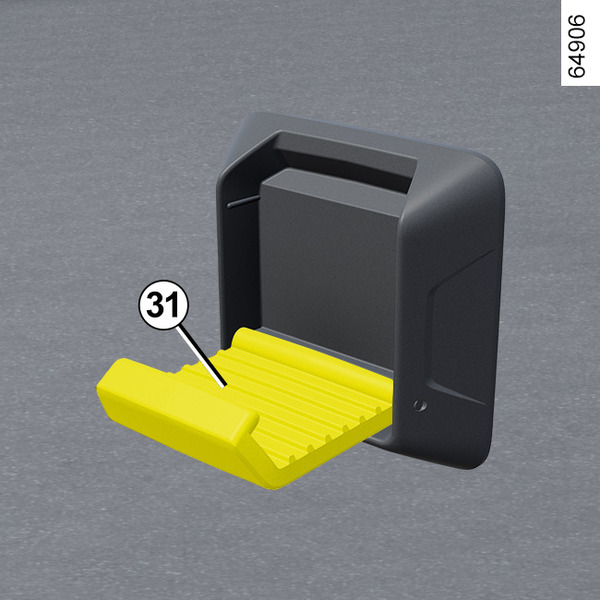
You can attach the bag hook to the base 27 of the cube or to one of the multi-accessory holders 22, 23, 24 or 25.
Maximum weight per hook on the base of the cube: 1 kg.
Maximum weight per hook on the base 22: 2 kg.
Maximum weight per hook on the base 24: 5 kg.