Media Control
« Settings »
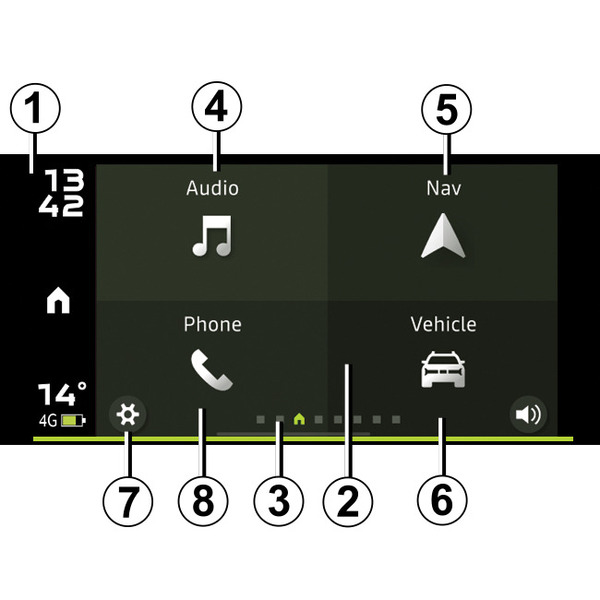
To access the settings menu from the "Dacia Media Control" app home page, press the button 7.
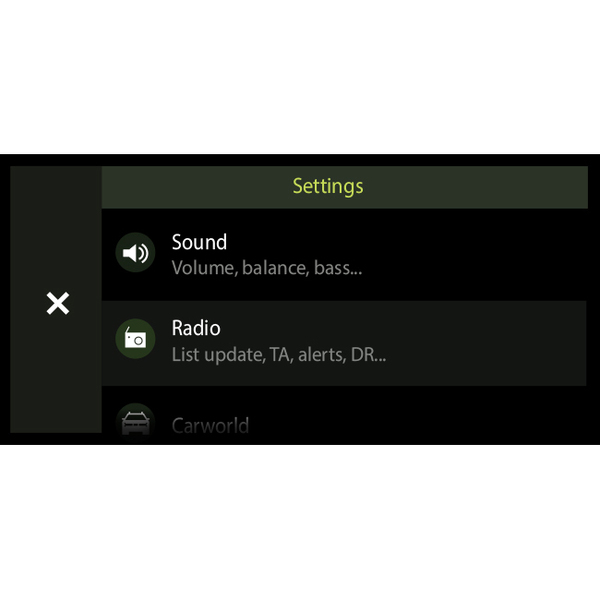
Use the "Settings" menu of the "Dacia Media Control" system to configure or view the following:
- the "Radio" settings;
- the "Sound" settings;
- the "Vehicle world" settings;
- the "Navigation world" settings;
- the "Phone world" settings;
- the "System" settings;
- « About » ;
- "Help and advice".
" Radio " settings
This function can be used to configure:
- the activation of traffic information alerts;
- the activation of additional alerts on digital radio;
- the prioritising of digital radio (depending on the country);
- automatic adjustment of a DAB radio station to FM (depending on country).
"Sound" settings
This function can be used to configure:
- sound balance between your vehicle speakers;
- sound equalisation (bass, treble) and amplification of bass sounds at low volume;
- adaptation of the sound volume according to the vehicle speed (adaptation to ambient noise);
- sensitivity of the auxiliary socket (availability depends on the vehicle).
"Vehicle world" settings
This function can be used to configure:
- activation of the parking aids information display (availability depends on the vehicle);
- activation of the tyre pressure monitoring system alerts.
"Navigation world" settings
This function can be used to configure:
- choosing a navigation app among those that are installed on your smartphone and compatible with the " Dacia Media Control » ;
- choosing a navigation app in pedestrian mode among those that are installed on your smartphone and compatible with the " Dacia Media Control " app, to guide you to your vehicle at the last saved location.
" System " settings
This function can be used to configure:
- the country (to enable assistance);
- the automatic launch of the app as soon as it connects to your vehicle's audio system;
- the automatic closing of your app once disconnected from your vehicle;
- the activation or deactivation of data feedback (for diagnostic and quality assurance purposes).
« About »
This function enables you to view:
- the version of the Dacia Media Control app installed on your smartphone;
- the terms and conditions of use;
- personal data protection information;
- information required for technical support of the app.
"Help and advice"
This function enables you to:
- launch the tutorial for the " Dacia Media Control » ;
- access Dacia Assistance;
- consult the personal data protection information;
- consult the help information on the various warning lights, indicator lights and icons displayed on your vehicle's instrument panel.
warning
For safety reasons, carry out any adjustments while the vehicle is stationary.