Media Display & Media Nav Live (Gen 3)
Introduction
warning
For safety reasons, carry out any adjustments while the vehicle is stationary.
tip
Widget configuration is linked to the profile. If the profile changes, the widgets display changes too.
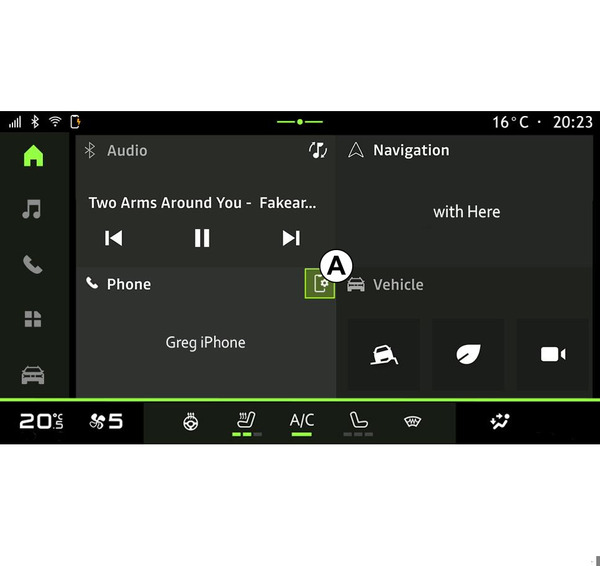
Your system has a customisable "Home page". This is made up of a number of widgets in area A that enable access to information and functions such as the My driving, radio, tyre pressure adjustment, etc.
Press one of the widget controls to directly control the function via the main screen (change the radio station, access the phone, etc.).
Customising the widgets
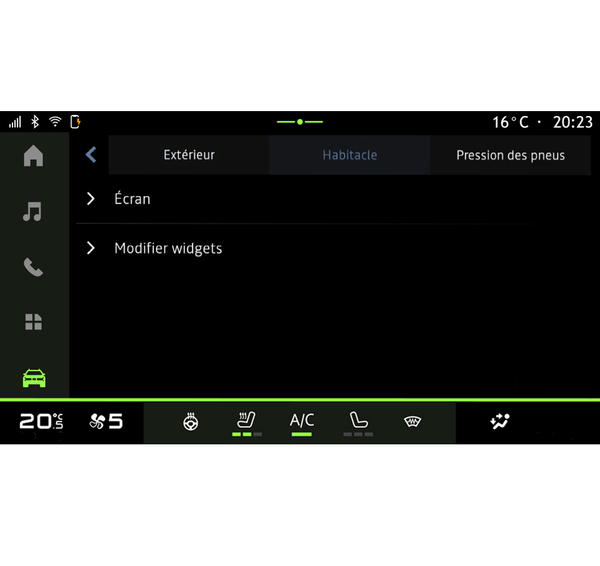
From the "Vehicle" world
 , the "Vehicle" menu, "Cockpit", then "Edit widgets" you can customise the widgets.
You can also access the widgets customisation option from the "Home screen" world
 by pressing and holding on the widget you want to customise.
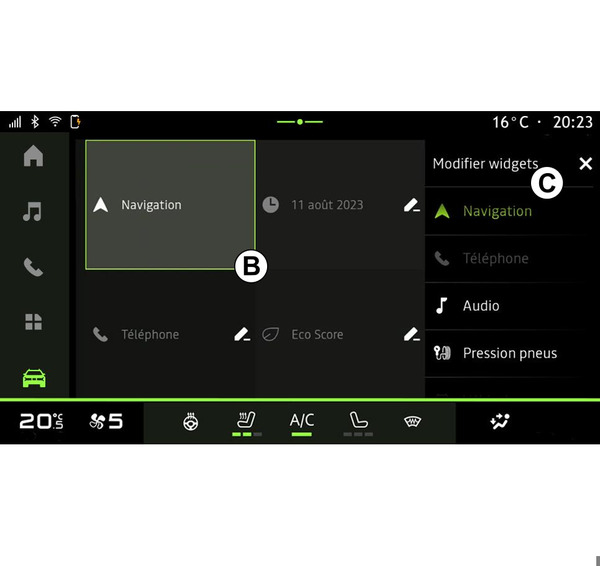
Then select the desired location in area B simply by touching the screen and select the widget that you wish to display from the list C.