Media Display & Media Nav Live (Gen 3)
Navigation
Introduction
Navigation is accessed from:
- the Navigation app 1;
- navigation by replication

 2.
2.
Navigation application
(depending on equipment)
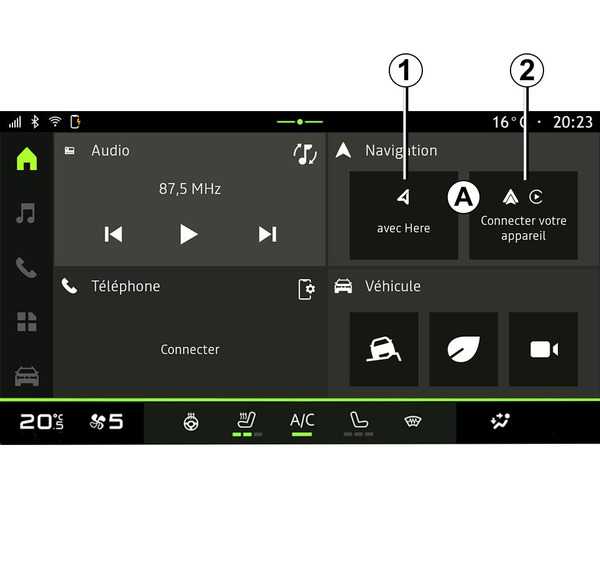
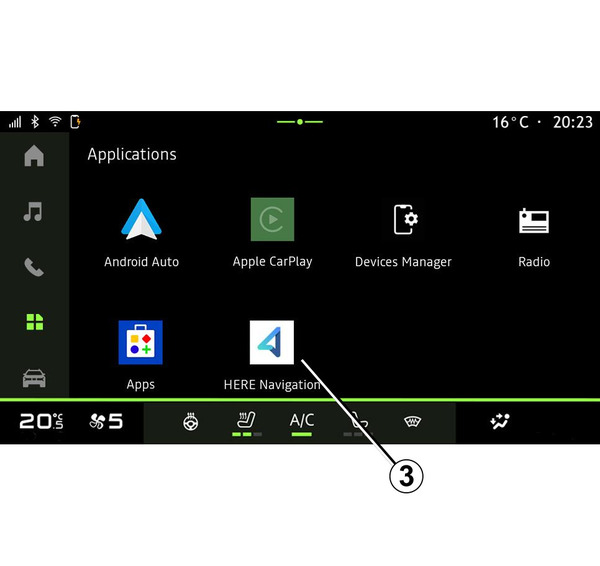
The navigation application is available from:
- the Navigation widget A in the "Home screen" world
 at 1;
at 1;Note: you can switch between the Navigation app and smartphone navigation replication from the Navigation widget.
- the "Applications" world
 , at 3.
The navigation application is a connected navigation included in the eight-year data plan and pre-installed on the multimedia system.
It includes up-to-date connected navigation so that you can benefit from the following features:
- map update;
- real-time traffic;
- voice guidance;
- points of interest;
- display of speed limits;
- buildings in 3D view;
- detailed view of junctions;
- increased vigilance areas;
- destination history and shortcuts for your "Home" and "Work" addresses;
- ...
Note: the Navigation application undergoes continuous development and can be updated or downloaded via "Apps" in the "Applications" World
.
Navigation by replication
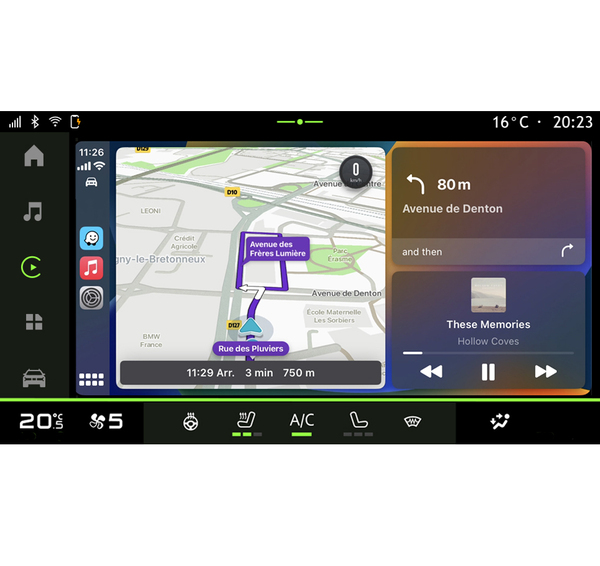
You can access the smartphone navigation replication from the "Android Auto™"
or "CarPlay™" app
in the "Applications" world
.
Navigation using replication requires your smartphone to be connected to the multimedia system.
For further information, please refer to the "Android Auto™, CarPlay™" section Android Auto™ , CarPlay™.
You can also access the smartphone navigation replication from the Navigation widget A in the "Home screen" world
at 2.
Navigation display on the instrument panel
(depending on equipment)
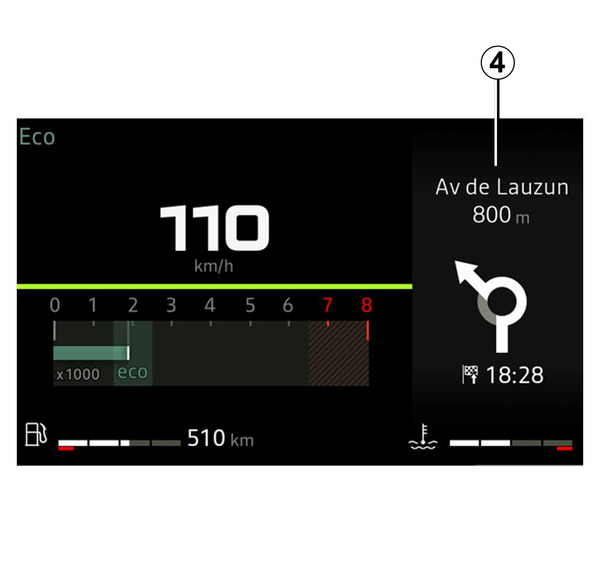
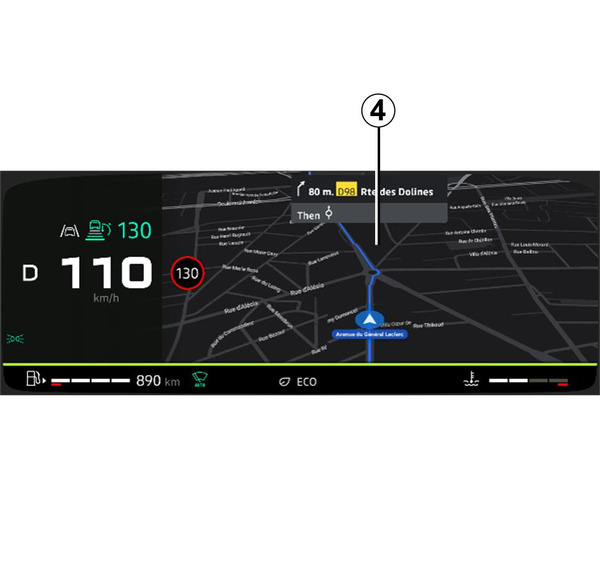
The navigation is only displayed on the instrument panel 4 via the smartphone navigation replication.
For more information on the instrument panel display, please refer to the vehicle user manual.